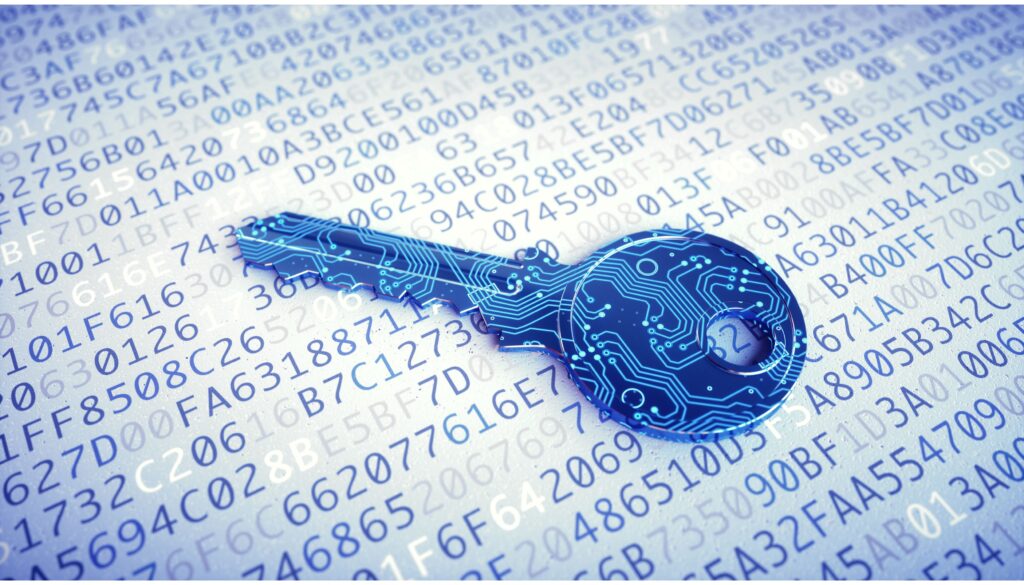
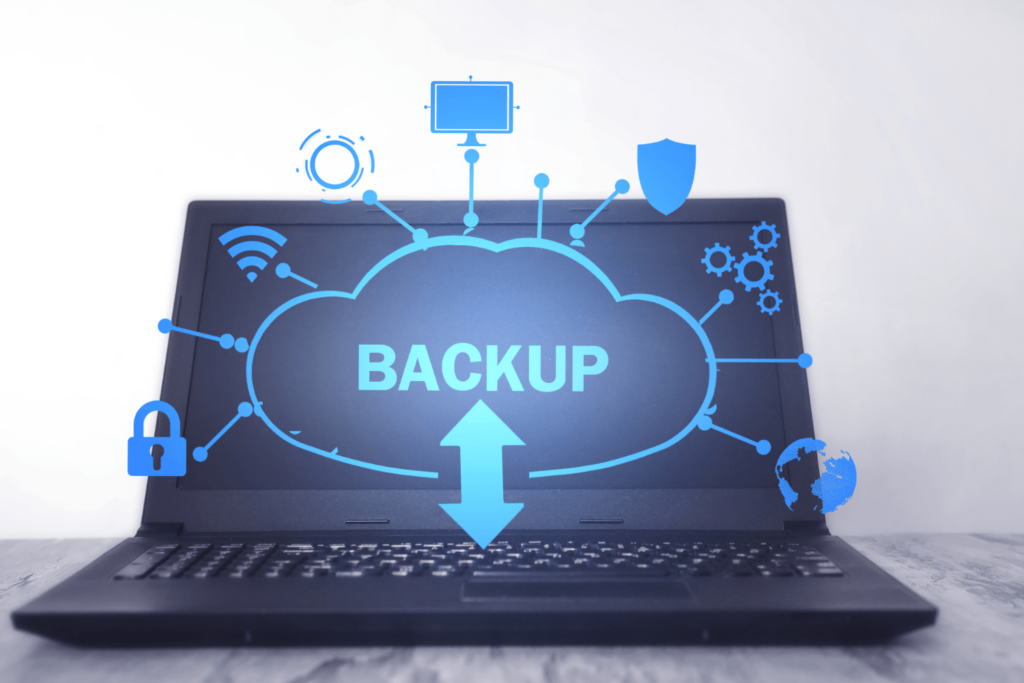
In a world where laptops store our most sensitive information, the line between security and vulnerability is razor-thin. Are you taking the necessary precautions?
In today’s fast-paced digital landscape, laptops have seamlessly woven themselves into the fabric of our personal and professional lives. These sleek devices have transformed the way we work, communicate, and entertain ourselves. From work-related tasks that demand efficiency to the convenience of online banking and the endless scrolling through social media feeds, laptops have become our go-to tools, our trusted companions. Yet, within this convenience lies a conundrum: as we rely more on laptops for an array of tasks, are we truly safe in this laptop-centric era?
In this blog post, we will navigate the complex landscape of privacy and security concerns in the laptop era, shedding light on the various threats that lurk in the digital world. From malware and phishing attacks to data breaches and privacy invasions, we will explore the multifaceted challenges that laptop users face. More importantly, we will provide you with practical strategies and tools to bolster your laptop’s security and protect your valuable data. By the end of this journey, you will be better equipped to answer the pressing question: Are you safe in the laptop era?
But Wait There’s More!!!
Imagine this: You’re sitting in a cozy coffee shop, sipping your favorite brew while typing away on your laptop. The ambiance is perfect for getting work done, and the free Wi-Fi is an added bonus. It’s a scenario that many of us are familiar with. However, amid the aroma of coffee and the clattering of keyboards, there’s an invisible threat looming in the background.
In this coffee shop, an unscrupulous hacker sits unnoticed at a nearby table. With a few simple tools and a well-disguised phishing email, they could gain access to your laptop and everything stored on it. Personal photos, financial documents, login credentials, and more are all at risk. Without adequate security measures, your serene coffee shop session could turn into a nightmare of stolen data and violated privacy.
This scenario exemplifies the core issue we’ll address in this blog post: the laptop era has brought us unparalleled convenience, but it has also exposed us to new and increasingly sophisticated threats. As technology continues to advance, our strategies for securing our laptops and protecting our privacy must evolve as well.
Now, let’s dive deeper into the privacy and security concerns of the laptop era, and explore the steps you can take to ensure your safety in this digital age.
Strong Passwords and Two-Factor Authentication (2FA):
In an era where our lives are increasingly intertwined with the digital realm, the need for robust online security measures has become more critical than ever. Two of the most fundamental tools in this regard are strong passwords and two-factor authentication (2FA).
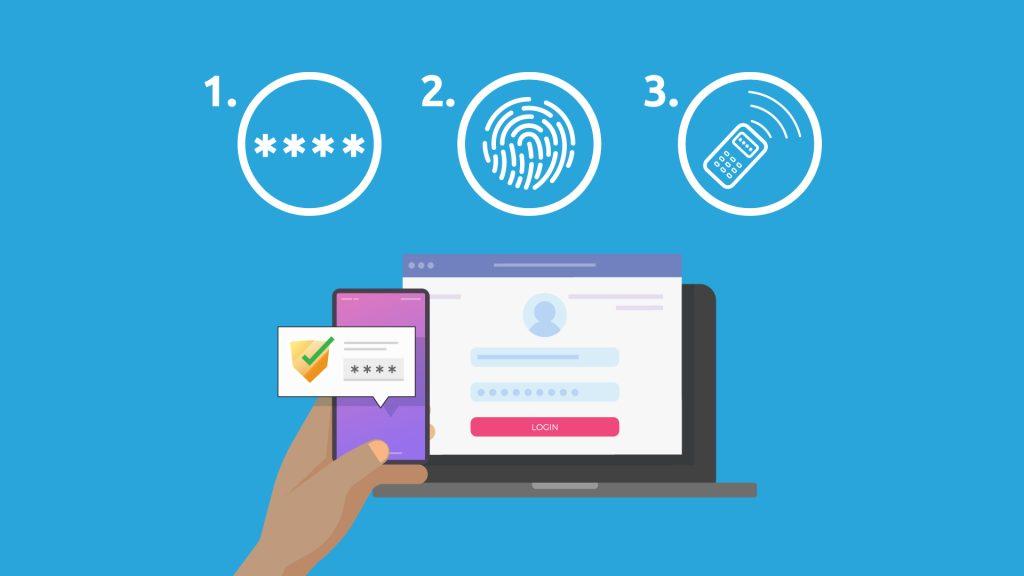
A strong password is your first line of defense against unauthorized access to your online accounts. It should be a unique and complex combination of letters, numbers, and special characters, making it considerably harder for malicious actors to guess or crack. Using the same weak password across multiple accounts is a recipe for disaster since a breach in one account can compromise others. By employing strong, distinct passwords, you’re effectively building a sturdy fortress around your digital life. Two-factor authentication, or 2FA, is an additional layer of protection that you can apply to your online accounts. It introduces an extra step in the login process, typically requiring a temporary code sent to your mobile device or email, which you must enter to gain access. This secondary verification adds a significant barrier, even if your password were to be compromised. 2FA ensures that you – and only you – can access your accounts, as it necessitates something you know (your password) and something you have (your mobile device or email access).
The importance of strong passwords and 2FA is underscored by the constant evolution of cyber threats. Cybercriminals employ increasingly sophisticated techniques to exploit security vulnerabilities. By using these security measures, you’re actively defending your personal data, financial assets, and online privacy. They are simple yet highly effective methods that can help reduce the risk of unauthorized access and potential security breaches, offering a safer and more secure online experience.
In conclusion, strong passwords and 2FA are not just security options; they are essential practices in today’s digital landscape. Implementing these measures is a responsible choice that empowers you to take control of your digital presence and minimize the risks associated with online activities. By using complex passwords and enabling 2FA whenever possible, you are reinforcing your online defenses and enhancing your overall cybersecurity.
By combining strong passwords with the added layer of 2FA, you establish a robust defense against unauthorized access. Your digital world becomes a fortified fortress, and you can navigate the laptop era with confidence, knowing that your online accounts and personal data are safe from prying eyes.
Regular Software Updates:
Regularly updating your operating system and software is a fundamental practice for safeguarding the security and stability of your computer or device. In an era where digital threats are constantly evolving, staying current with software updates is your first line of defense against potential cyberattacks. These updates serve as vital shields against known vulnerabilities, as developers continuously strive to patch security holes that malicious actors may exploit. Neglecting updates exposes your system to a heightened risk of malware, viruses, and other malicious intrusions, making it crucial to prioritize regular updates to maintain a secure digital environment.
Furthermore, software updates address more than just security concerns. They are instrumental in enhancing the overall performance and stability of your device. By routinely applying these updates, you benefit from bug fixes and improvements that not only ensure a smoother and more reliable experience but also prevent software-related crashes and glitches. This means fewer frustrations, increased productivity, and a more efficient operation of your hardware, all of which contribute to a better user experience.
Here are some key reasons why you should keep your software up to date:
Security: Software updates often include patches for known security vulnerabilities. Cybercriminals are constantly looking for weaknesses in software to exploit, and updates help to close these vulnerabilities, reducing the risk of malware, viruses, and other security threats.
Bug Fixes: Updates also address software bugs and issues that can affect the performance and stability of your system. By keeping your software up to date, you can benefit from these bug fixes and enjoy a smoother, more reliable experience.
New Features: Software updates can introduce new features and improvements that enhance the functionality of your applications and operating system. This can lead to a better user experience and increased productivity.
Compatibility: As technology evolves, older software versions may become incompatible with newer hardware or other software. Keeping your software up to date helps ensure compatibility with the latest devices and technologies.
To ensure you regularly update your operating system and software, consider the following tips:
Enable Automatic Updates: Most operating systems and software applications offer automatic update settings. Turn on these settings to receive updates without manual intervention.
Keep All Software Updated: Don’t just focus on your operating system. Keep all your software, including third-party applications and plugins, up to date to ensure complete security.
Stay Informed: Keep yourself informed about potential security threats and software vulnerabilities that might affect your system. Security news and alerts can help you stay proactive.
In summary, regular software updates are crucial for maintaining the security and functionality of your computer. By staying up to date, you can reduce the risk of security breaches, enjoy improved performance, and access new features and enhancements.
Antivirus and Anti-Malware Software:
Investing in reputable antivirus and anti-malware software stands as a critical measure in fortifying your computer and preserving the sanctity of your personal data amidst the constant and evolving threats within the digital realm. These software solutions serve as a formidable protective barrier against a spectrum of malicious entities, ranging from traditional viruses and stealthy trojans to intrusive spyware and menacing ransomware. Their pivotal role in shielding your digital assets extends far beyond the immediate, rendering them indispensable in the modern age of computing. As sentinels of the digital world, antivirus and anti-malware programs employ real-time scanning and monitoring to maintain a vigilant watch over your computer’s digital environment. Their unwavering surveillance inspects files and incoming data, intercepting any subtle indicators of malware and thwarting potential threats in their infancy. This proactive approach not only forestalls infections but also ensures that your laptop remains an inhospitable environment for malicious software, providing a fortified defense for your digital life.
What further solidifies the importance of these security solutions is their capability to adapt and evolve alongside the ever-shifting landscape of cyber threats. Regular updates keep them attuned to the latest malware innovations, guaranteeing their effectiveness in combating newly emerging and continually morphing forms of malicious software. In a world where the digital battleground is in constant flux, having an up-to-date and reliable antivirus and anti-malware system is your bulwark against unseen dangers, preserving the integrity of your digital identity and the health of your computer.
Here’s why you should consider using such software:
Real-Time Protection: Antivirus and anti-malware programs offer real-time scanning and monitoring of your computer. They constantly check files and incoming data for any signs of malware, promptly detecting and neutralizing threats as they emerge. This proactive approach can prevent infections before they can harm your laptop.
Regular Updates: Reputable antivirus software is regularly updated to stay current with the latest malware threats. This ensures that your protection remains effective against newly emerging and evolving types of malicious software. Outdated or unpatched antivirus software can leave your system vulnerable.
Quarantine and Removal: When a threat is detected, these programs take immediate action by isolating or quarantining the infected files and then providing you with the option to remove them. This process prevents the malware from spreading or causing further damage to your system.
Scheduled Scans: Antivirus software allows you to schedule regular system scans, ensuring that your computer is checked for malware on a routine basis, even when you’re not actively using it. This automated approach helps maintain your computer’s security without constant user intervention.
Protection Beyond Viruses: Antivirus and anti-malware software don’t just protect against traditional viruses. They also guard against a wide range of threats, such as phishing attempts, malicious websites, and email attachments containing malware, offering comprehensive security for your digital life.
Peace of Mind: Using reputable antivirus software provides peace of mind, knowing that your laptop is actively defended against digital threats. This is particularly important when you browse the internet, download files, or open email attachments, as these are common vectors for malware attacks.
When selecting antivirus and anti-malware software, it’s essential to choose reputable, well-established brands with a track record of effective protection. Remember to keep your antivirus software updated, as its efficacy depends on staying current with the evolving threat landscape. By investing in and regularly maintaining these software solutions, you’re taking a proactive and responsible approach to keeping your laptop and personal data secure in an increasingly digital world.
Data Encryption:
Data encryption stands as a critical pillar of modern data security, its primary purpose being the safeguarding of sensitive information from prying eyes and unauthorized access. This essential process revolves around the transformation of data into an inscrutable format, one that can only be unraveled by individuals in possession of the corresponding decryption key. The encryption technique fortifies data by rendering it unreadable to anyone without the requisite access privileges, thereby establishing a formidable barrier against potential breaches. This means that even if a malicious actor were to gain access to the encrypted data, the content remains a cryptographic enigma, defying comprehension or exploitation without the cryptographic key, which acts as the exclusive conduit to unlock the secrets within.
Data encryption epitomizes a dynamic equilibrium between robust security and user accessibility, striking a balance that resonates across various facets of contemporary life. Its significance reverberates through realms spanning personal data protection, corporate confidentiality, and national security. In a world where data breaches and cyber threats loom large, encryption offers a formidable defense, preserving the integrity and confidentiality of sensitive information. The fundamental principle of encryption is clear: it empowers data owners and organizations to retain control over their information and ensures that even if unauthorized access occurs, the data remains a cryptic enigma, safeguarding the confidentiality and privacy that is paramount in the digital age.
Here are some key points to consider regarding data encryption:
Types of Encryption:
Symmetric Encryption: This method uses a single encryption key for both encryption and decryption. Common algorithms include AES (Advanced Encryption Standard) and DES (Data Encryption Standard).
Asymmetric Encryption: Also known as public-key encryption, this method uses a pair of keys, one for encryption and another for decryption. Common algorithms include RSA and ECC (Elliptic Curve Cryptography).
Hybrid Encryption: Often used in practice, this approach combines the speed of symmetric encryption with the security of asymmetric encryption. Data is encrypted with a symmetric key, and then the symmetric key is encrypted with the recipient’s public key.
Use Cass:
Data at Rest: Encrypting data stored on devices like laptops, external hard drives, or cloud storage services.
Data in Transit: Encrypting data as it’s transmitted over networks, such as HTTPS for web browsing and SSL/TLS for secure email communication.
Data in Databases: Encrypting sensitive information within databases to protect against unauthorized database access.
Built-in Encryption Features:
Many modern laptops and devices offer built-in encryption features. For example, Windows has BitLocker, and macOS has FileVault, which can be used to encrypt the entire storage drive.
Mobile devices often have encryption options as well, such as Android’s Full Disk Encryption and Apple’s iOS encryption.
Key Management:
Secure key management is critical for encryption. If encryption keys are lost, the encrypted data becomes inaccessible. Key management systems ensure the secure storage and distribution of encryption keys.
Regulatory Compliance:
Many industries and jurisdictions have specific data security regulations that require encryption for sensitive data. Failing to comply with these regulations can lead to legal and financial penalties.
Data Recovery:
Proper encryption should be used with caution. If you forget your encryption key, recovery can be challenging, if not impossible. Backup your keys securely.
Cryptographic Algorithms:
The choice of encryption algorithm matters. Strong, well-established algorithms are preferred to ensure the security of your data.
In summary, data encryption is a fundamental component of modern data security. It’s used to protect sensitive data, both at rest and in transit, and built-in encryption features in laptops and devices make it more accessible to the average user. However, proper key management and algorithm selection are critical for ensuring the effectiveness of encryption.
Backup Your Data:
Backing up your data is indeed a crucial practice to safeguard your information from various threats, including cyberattacks, hardware failures, and accidental deletions. In an increasingly digital world, our data has become one of our most valuable assets, and protecting it is of paramount importance. Without a reliable backup strategy, you are at risk of losing essential files and precious memories at any moment. Cyberattacks, such as ransomware or malware infections, can encrypt or corrupt your data, rendering it inaccessible. Hardware failures, ranging from a malfunctioning hard drive to a catastrophic device crash, can also result in data loss. Furthermore, human errors like accidental deletions or overwrites are common and can have devastating consequences. Therefore, a comprehensive data backup plan is an essential component of modern digital life.
Here are some key points to consider when creating a robust data backup strategy:
Frequent Backups: Regularly schedule backups to ensure that your most recent data is protected. The frequency may depend on the nature of your work and how often your data changes.
Automate Backups: Use backup software or built-in backup features on your operating system to automate the process. This reduces the risk of human error.
Multiple Backup Copies: Create multiple backup copies to guard against unexpected issues with a single backup. You can keep backups on external hard drives, network-attached storage (NAS) devices, or cloud storage services.
Cloud Storage: Cloud storage services like Google Drive, Dropbox, and OneDrive are convenient for off-site backups. They offer data redundancy, security, and easy access from anywhere.
Security Measures: Protect your backup devices and cloud storage with strong passwords and, if possible, two-factor authentication. Be cautious about who has access to your backups.
Create a Disaster Recovery Plan: In addition to backups, develop a disaster recovery plan. This outlines the steps to take in case of data loss, including how to restore your data from backups.
Documentation: Maintain documentation of your backup procedures, schedules, and any encryption keys or passwords required for recovery.
Remember that data loss can occur in various ways, not just from cyberattacks. Hardware failures, accidental deletions, and natural disasters are also common threats. By following these best practices, you can minimize the risk of data loss and ensure that you can recover your data when needed.
Beware of Phishing Link
In today’s interconnected world, vigilance against phishing attacks is paramount. Phishing attempts are insidious tactics employed by cybercriminals with the aim of deceiving individuals into divulging their personal or confidential information. This can encompass a wide range of sensitive data, from usernames and passwords to financial details like credit card numbers and even the ever-valuable social security numbers. As these cybercriminals become increasingly sophisticated in their methods, it is incumbent upon all of us to adopt a proactive stance in safeguarding our digital identities and personal information. The prevalence of unsolicited emails and deceptive websites underscores the need for a multifaceted defense against phishing. First and foremost, skepticism is a powerful ally. When confronted with an email from an unknown sender or an unexpected request for information, it’s imperative to scrutinize the message for telltale signs of phishing, such as generic salutations or spelling and grammatical errors. Verifying the authenticity of the sender’s email address and checking that it aligns with the official domain of the purported organization can also go a long way in preventing a phishing mishap.
Furthermore, the habit of cautious link-clicking and careful examination of URLs cannot be understated. Often, malicious links are concealed within the body of an email, ready to lead unwary individuals to fraudulent websites. By hovering over links to reveal their actual destinations and ensuring that secure connections are established through the presence of “https://” and the padlock icon, one can significantly diminish the risk of falling prey to phishing attacks. In this digital era, cultivating a proactive cybersecurity mindset and sharing these key tips with others is the best defense against the ever-evolving strategies of cybercriminals. Here are some key tips to help you protect yourself from phishing attempts:
Be Skeptical of Unsolicited Emails: If you receive an email from an unknown sender or one that you weren’t expecting, be cautious. Check for signs of phishing, like generic greetings, spelling and grammatical errors, or suspicious email addresses.
Verify the Sender: Verify the sender’s email address by checking the domain and confirming it matches the official domain of the organization they claim to represent. Be cautious of email addresses with minor variations.
Avoid Clicking on Suspicious Links: Don’t click on links in emails or messages unless you’re certain they are from a trusted source. Hover your mouse over the link to see the actual URL before clicking.
Check for HTTPS: Before entering any personal information on a website, ensure it has a secure connection by looking for “https://” in the URL and a padlock icon in the browser’s address bar.
Be Wary of Urgent or Threatening Language: Phishing emails often use fear tactics to pressure you into taking immediate action. Be skeptical of messages that claim your account will be locked or deleted if you don’t act quickly.
Avoid Sharing Personal Information: Legitimate organizations will not ask for sensitive information, such as passwords or credit card details, via email. Be cautious of any such requests.
Use Two-Factor Authentication (2FA): Enable 2FA whenever possible for your online accounts. This adds an extra layer of security, making it harder for cybercriminals to access your accounts even if they have your password.
Educate Yourself and Others: Familiarize yourself with common phishing techniques and educate friends and family to help them stay safe online.
Remember that cybercriminals are constantly evolving their tactics, so staying vigilant and informed is crucial. By following these tips and being cautious of unsolicited emails and requests for personal information, you can significantly reduce your risk of falling victim to phishing attacks.
Conclusion:
In the laptop era, where our lives are increasingly intertwined with the digital realm, addressing privacy and security concerns has become paramount. The laptops we use for work, communication, entertainment, and more are the gateways to our personal data, making them a prime target for cybercriminals and data breaches. Recognizing the importance of safeguarding our digital lives, we must prioritize privacy and security in all our online activities to protect our sensitive information. The need for proactive measures to stay safe online cannot be overstated. With the ever-evolving landscape of cyber threats, relying on reactive strategies alone is no longer sufficient. Whether it’s safeguarding our laptops against malware and viruses or protecting our personal information from prying eyes, individuals and organizations alike must be vigilant and take preemptive actions to fortify their online defenses. This includes using robust security software, regularly updating and patching software, employing strong and unique passwords, and educating oneself about potential risks. By staying informed and proactive, we can navigate the laptop era with confidence and ensure our online experiences are secure and private.
Remember, you are not alone on this journey. Share your thoughts, concerns, and newfound knowledge in the comments below. Let’s create a community dedicated to digital security and privacy.
Thank YOU FOR READING OUR BLOG POST WE HIGHLY THANK YOU, TO VIEW MORE RELATED PRODUCTS AND OUR SERVICES PLEASE MAKE DO TO VISIT US AMAGET.COM TODAY!!!


 HP LASERJET ENTERPRISE M612DN PRINTER (7PS86A)
1 × ₦1,300,000.00
HP LASERJET ENTERPRISE M612DN PRINTER (7PS86A)
1 × ₦1,300,000.00  samsung galaxy A12 64GB ROM 4GB RAM Uk Used
1 × ₦115,500.00
samsung galaxy A12 64GB ROM 4GB RAM Uk Used
1 × ₦115,500.00  Soundcore Motion X600 High-Quality Sound Wireless Speaker
1 × ₦265,360.05
Soundcore Motion X600 High-Quality Sound Wireless Speaker
1 × ₦265,360.05  ONTEN USB-C ADAP MACBOOK PRO HUB(91183)
1 × ₦27,000.00
ONTEN USB-C ADAP MACBOOK PRO HUB(91183)
1 × ₦27,000.00  USB-C TO 3.5MM HEADPHONE JACK ADAPTER
1 × ₦15,000.00
USB-C TO 3.5MM HEADPHONE JACK ADAPTER
1 × ₦15,000.00 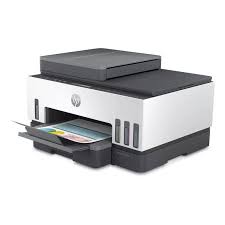 HP SMART TANK 750 ALL -IN-ONE PRINTER (6UU47A)
1 × ₦460,000.00
HP SMART TANK 750 ALL -IN-ONE PRINTER (6UU47A)
1 × ₦460,000.00  HP LASERJET M236SDN MULTIFUNCTION PRINTER 9YG08A
1 × ₦400,000.00
HP LASERJET M236SDN MULTIFUNCTION PRINTER 9YG08A
1 × ₦400,000.00  CANON EF 50MM UK USED
1 × ₦213,636.36
CANON EF 50MM UK USED
1 × ₦213,636.36 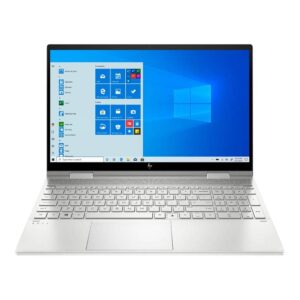 HP ENVY x360 Laptop 15-ew0024nia (6Z6C4EA) Intel Core i5, 16GB DDR4 2DM 3200 RAM, 512GB PCIe value SSD, Intel Iris Xe, Touchscreen, 15.6 FHD IPS 250 nits Narrow Border, Windows 11 Home, Natural silver, 1 year Warranty
1 × ₦1,014,000.00
HP ENVY x360 Laptop 15-ew0024nia (6Z6C4EA) Intel Core i5, 16GB DDR4 2DM 3200 RAM, 512GB PCIe value SSD, Intel Iris Xe, Touchscreen, 15.6 FHD IPS 250 nits Narrow Border, Windows 11 Home, Natural silver, 1 year Warranty
1 × ₦1,014,000.00  HP DESKJET PLUS INK ADVANTAGE 6075 ALL-IN-ONE PRINTER (5SE22C)
1 × ₦200,000.00
HP DESKJET PLUS INK ADVANTAGE 6075 ALL-IN-ONE PRINTER (5SE22C)
1 × ₦200,000.00