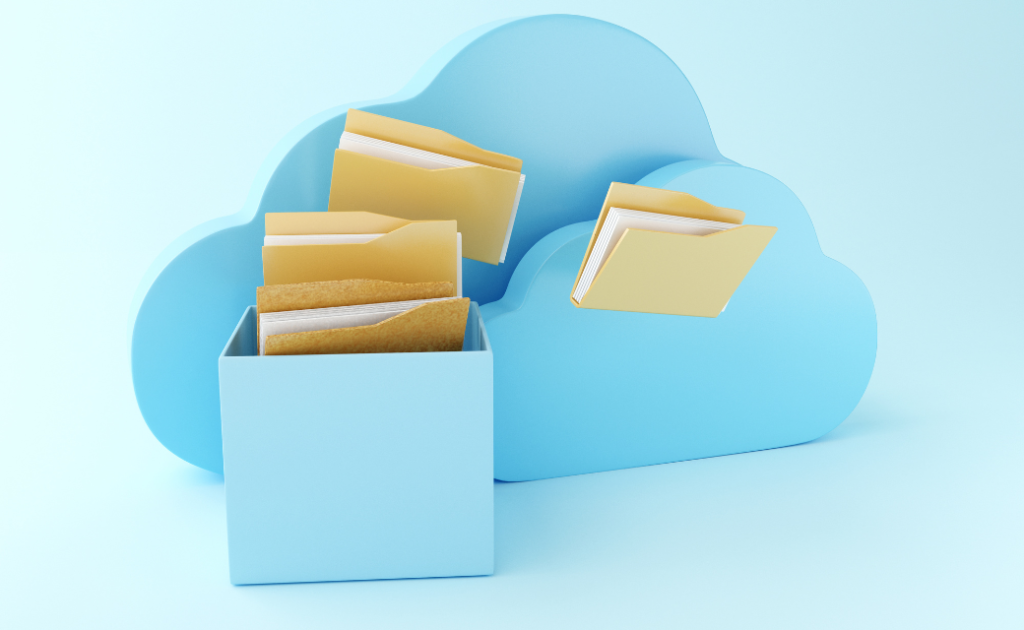
Lost your laptop data before? Don’t let it happen again! Dive into our ultimate guide to mastering laptop data backup, and take control of your digital universe. We’ve all experienced the sinking feeling of losing precious data due to a laptop crash or accidental deletion. Whether it’s important work documents, cherished photos, or crucial project files, the loss can be devastating. But fear not! In this blog post, we’ll delve into the world of data backup, equipping you with the top strategies and tools to safeguard your valuable information and empower you to take control of your data’s destiny.
In the fast-paced world we live in, where technology is constantly evolving, it’s crucial to stay ahead of the curve when it comes to data management. With the increasing risk of cyber threats, hardware failures, and human error, relying solely on the longevity of your laptop’s hard drive is akin to playing Russian roulette with your data. So, how can you mitigate these risks and ensure the safety of your information? The answer lies in implementing a robust data backup strategy. But before we delve into the strategies and tools, let’s understand why data backup is not just an option but a necessity.
Guarding Your Digital Fort
This blog post will explore the importance of data backup for laptop users and provide actionable strategies and tools to effectively backup and protect your valuable data, empowering you to navigate the digital landscape with confidence.
Why Data Backup Matters:
Imagine spending countless hours crafting a report for an important presentation only to have it vanish into thin air due to a sudden system crash. Or worse, losing years’ worth of family photos and videos due to a malware attack. The repercussions of data loss can be catastrophic, both personally and professionally. Data backup serves as a safety net, providing a copy of your files in case the original is compromised or lost. It’s your insurance policy against the unpredictable nature of technology. By proactively backing up your data, you’re not only protecting yourself from potential disasters but also ensuring continuity in your workflow and preserving precious memories for years to come.
Now that we’ve established the importance of data backup, let’s dive into the strategies and tools that will help you master this essential aspect of digital hygiene.
Top Strategies for Effective Data Backup:
1. Automated cloud Backup:
Imagine this scenario: You’re fully engrossed in your work, typing away at your computer and producing a document that’s a work of art or gathering crucial information for a project. Suddenly, your computer crashes, or worse, your hard drive gives up the ghost. Panic sets in as you realize that hours, days, or even weeks of work could disappear in a flash. However, there’s no need to worry. This is where automated cloud backup comes to the rescue. It acts as your digital guardian angel during times of data distress. Imagine this scenario: You’re fully engrossed in your work, typing away at your computer and producing a document that’s a work of art or gathering crucial information for a project. Suddenly, your computer crashes, or worse, your hard drive gives up the ghost. Panic sets in as you realize that hours, days, or even weeks of work could disappear in a flash. However, there’s no need to worry. This is where automated cloud backup comes to the rescue. It acts as your digital guardian angel during times of data distress.
You can have peace of mind knowing that every edit, tweak, and document you create is securely stored in the cloud instantaneously, without any manual effort. No need to worry about forgetting to back up important files or potential data disasters. With automated cloud backup, you can focus on your work, and projects, and have peace of mind.
CLICK HEREto shop and save more on our wide variety of laptops available
Security Meets Convenience
But the benefits don’t stop there. Not only does automated cloud backup provide an extra layer of security against hardware failures and accidental deletions, but it also offers unparalleled convenience. Need to access that crucial report while on the go? No problem. With cloud storage, your files are accessible from anywhere with an internet connection, whether you’re on your laptop, smartphone, or tablet. Say goodbye to the days of being tethered to a single device or location.
2. External Hard Drive Backup:
Your digital life is precious, right? Well, imagine waking up one day to find all your files gone, vanished into the digital abyss. Scary, huh? That’s where investing in an external hard drive swoop in like a digital superhero, saving the day! Think of it as your trusty sidekick, backing up your data and standing guard against the perils of hardware failures and system meltdowns. Well, let me paint a picture for you. Imagine: hard at work on your laptop, more or less relaxed, not even suspecting that a disaster is about to strike from the inside of its cork. And then, boom! The hard drive goes wild and takes everything with it – all of your photos, all of your documents, all the playlists you’ve configured with undying patience and ardor. What do you even do in that case? there’s hope! With an external hard drive backup, you can shrug off these nightmares like a seasoned pro.
The Digital Safety Deposit Box
So, what’s the deal with external hard drives, you ask? Well, they’re like a digital safety deposit box, storing copies of your precious files outside the confines of your laptop’s fragile ecosystem. It’s like having a Plan B for your data, a fail-safe against the unpredictable whims of technology. And the best part? It’s not just for the tech-savvy wizards among us; anyone can plug in an external drive and breathe a sigh of relief knowing their data is snug as a bug in a digital rug. Having an external hard drive backup is like having an insurance policy for your data. So, do yourself a favor – invest in that digital fortress, sync your files regularly, and rest easy knowing that your digital life is locked and loaded, safe from the chaos that lurks in the heart of your laptop.
CLICK HERE to shop and save more on our wide variety of external hard drives available
3. Incremental Backup:
Tired of waiting for ages for your backups to complete, only to find out that most of your files haven’t even changed? It’s time to revolutionize your backup strategy with incremental backups. Instead of slogging through a full backup of your entire system every time, why not just back up the changes since your last session? It’s like saving only the edits to your document instead of re-saving the whole thing every time you tweak a sentence. With incremental backup, you’re not only saving time but also precious storage space. Imagine only needing to store the parts of your data that have changed, rather than duplicating everything over and over. This means smaller backup files and less strain on your storage devices. Plus, since you’re capturing changes as they happen, you’ll have a comprehensive record of your data’s evolution without the hassle of redundant backups.
But wait, there’s more! Incremental backup isn’t just about efficiency; it’s also about peace of mind. By capturing changes incrementally, you’re minimizing the risk of data loss. No more relying solely on yesterday’s backup; now you have the most up-to-date version of your files readily available. Whether it’s an accidental deletion or a system crash, you can rest easy knowing that your data is protected with incremental backup.
So why wait? Streamline your backup process today and say goodbye to unnecessary backups and hello to efficiency and reliability.
Top Tools for Seamless Data Backup:
Carbonite: Known for its user-friendly interface and automatic backup features, Carbonite offers continuous cloud backup solutions tailored to individual users and businesses alike.
Acronis True Image: With its comprehensive backup and recovery capabilities, Acronis True Image is a versatile tool that provides both local and cloud-based backup options, along with advanced features like disk cloning and ransomware protection.
Time Machine (Mac): Built into macOS, Time Machine offers seamless backup solutions for Mac users, allowing you to effortlessly restore your system to a previous state in case of data loss or corruption.
By incorporating these strategies and tools into your data management routine, you can empower yourself to navigate the digital landscape with confidence, knowing that your valuable information is safe and secure. Remember, when it comes to data backup, the key is consistency. Make it a habit to regularly back up your data and test your backup systems to ensure their effectiveness.
What are you waiting for? SHOP WITH US TODAYand experience peace and assurance like never before
Conclusion:
Are you ready to take the first step towards mastering laptop data backup? By implementing the strategies and tools outlined in this blog post, you can safeguard your valuable information and empower yourself to embrace the digital future with confidence. Whether it’s automating your backups with cloud storage or investing in a reliable external hard drive, prioritize data backup as an integral part of your digital hygiene routine. Don’t wait until it’s too late – take control of your data’s destiny today!


 HP ENVY x360 Laptop 15-ew0024nia (6Z6C4EA) Intel Core i5, 16GB DDR4 2DM 3200 RAM, 512GB PCIe value SSD, Intel Iris Xe, Touchscreen, 15.6 FHD IPS 250 nits Narrow Border, Windows 11 Home, Natural silver, 1 year Warranty
1 × ₦1,014,000.00
HP ENVY x360 Laptop 15-ew0024nia (6Z6C4EA) Intel Core i5, 16GB DDR4 2DM 3200 RAM, 512GB PCIe value SSD, Intel Iris Xe, Touchscreen, 15.6 FHD IPS 250 nits Narrow Border, Windows 11 Home, Natural silver, 1 year Warranty
1 × ₦1,014,000.00