

-
×
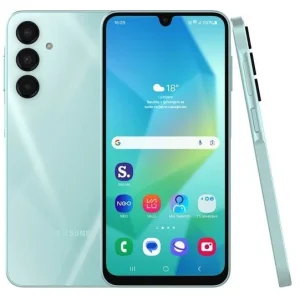 Samsung Galaxy A16 - 6.7" (4GB RAM, 128GB ROM) Light Green
1 × ₦220,000.20
Samsung Galaxy A16 - 6.7" (4GB RAM, 128GB ROM) Light Green
1 × ₦220,000.20
Subtotal: ₦220,000.20
Have you made the decision to buy a new laptop? They come in a wide variety of sizes, features, and prices, which makes choosing the most suitable laptop a challenge. That’s why you need to figure out what your needs are. With so many types available, we would help you determine 5 ESSENTIAL TIPS TO KNOW BEFORE BUYING A NEW LAPTOP which also covers the exact specification of the laptop you need.
This tips to know before buying a new laptop would help streamline your choices
The best laptop recommendations are determined by rating, pricing and use case TO DETERMINE TIPS TO KNOW BEFORE BUYING A NEW LAPTOP
One of the reasons why a lot of people opt for a laptop is because of the portability, and the convenience of carrying a medium-sized device in your bag. If you are concerned with portability, the best bet is to look at laptops with smaller screen size and a thin, lightweight design you should go for a device with a screen between 13 and 14 inches, and a weight of less than 1.5kg.
A basic laptop is essentially a laptop that doesn’t convert into a tablet, isn’t ultra-thin and powerful like an ultrabook, and doesn’t have features specifically for gaming. It does not don’t offer any fancy features, but that doesn’t mean that they’re not worth buying you can write your articles, send applications and watch movies. If you don’t need special features like a detachable display, then buying a computer that can’t do that may well save you some cash.
The 2-IN-1s has fast become one of the more popular types of laptops, largely because of the fact that it’s so versatile. 2-in-1s are devices that function as both laptops and as tablets, meaning they can be used for watching TV in bed, working at a desk, and everything in between
By and large, there are two different kinds of 2-in-1s, each with critical differences. First is the detachable 2-in-1. With it, the display is removed from the keyboard, meaning you can use it as you would any other tablet
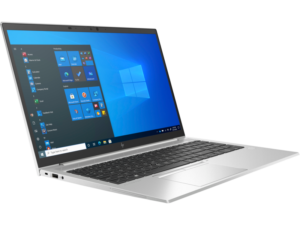
FOR MORE INFO ON HP LAPTOP SHOP HERE
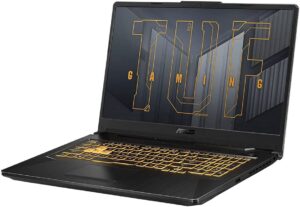
Built for performance above all else, gaming laptops are a little thicker and bulkier than their consumer-focused counterparts, They have extra space, and manufacturers are able to fit more powerful processors, larger batteries, and often even dedicated graphics processors, or GPUs. Gaming laptops also often have high-resolution displays and enough ports for external displays, gaming mice, and keyboards, and more.
As you might expect, a gaming laptop is best for those who play graphics-intensive games on the go. Those who game casually may not need to spend the cash on a dedicated gaming laptop because most everyday laptops will be able to handle basic gaming.
TIPS TO KNOW BEFORE BUYING A NEW LAPTOP
Depending on your needs this could be an easy choice. Most laptops come with one of three operating systems: Windows, Chrome OS, or macOS (for MacBooks only). but if you don’t have any existing loyalties to a platform or specific software that you need this can be a challenging question to answer.
The most flexible operating system, Windows 11, runs on more laptop models than macOS. Windows 11, the latest version of Microsoft’s flagship operating system, provides a number of improvements over Windows 10, including the revised interface, the new Microsoft Store, and handy features like Snap View. It uses Cortana as its digital assistant
MacBooks come with Apple’s latest desktop operating system. The operating system offers similar functionality to Windows 11, but with a different take on the interface that substitutes an apps dock at the bottom of the screen for Microsoft’s Start menu and taskbar. Instead of the Cortana digital assistant, Mac users get SIRI
Linux: If you don’t need MS Office and don’t mind a learning curve, you can install Linux on just about any piece of laptop hardware ever created. The catch is that popular apps like MS Office and Adobe’s Creative Suite don’t support Linux.
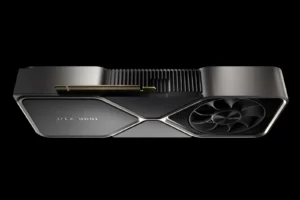
Always look for a laptop with Nvida Graphics chip. All laptops technically have graphics cards (also called “discrete” graphics and GPU), but most are bundled into the motherboard with the processor. This approach, known as “integrated graphics,” is fine for most users. With this, you will be able to watch HD movies and even play casual games without issue.
Think of the CPU (central processing unit) as the heart of your laptop. When it comes to CPU, you can’t get much better than Intel’s Core-based range. New laptops will most likely contain Core i3, Core i5, or Core i7.
TIPS TO KNOW BEFORE BUYING A NEW LAPTOP
Some laptops come with only 4GB of RAM, but ideally, you want at least 8GB on even a budget system and 16GB if you can spend just a little more. For 99% of users, 32GB is more than enough, while 64GB and above are reserved for professional power users or high-end gamers.
Again, if portability is important to you (even if that means transporting your laptop from your desk to your bed!), battery life is something worth considering. The reality of a laptop’s battery life is often quite different to what it says on the box. Variables such as screen brightness and the types of programs you run will affect how long the battery lasts. Instead of focusing on the number of hours the manufacturer quotes, look at the rating of the battery in Watt-hours (Wh) or milliamp-hours (mAh). The bigger the number, the longer the battery will last.
HOPE YOU’VE LEARNT FROM THS BLOG TIPS TO KNOW BEFORE BUYING A NEW LAPTOP
