


The Importance of Upgrading: When and How to Upgrade Your Laptop Leave a comment
Introduction:
Your laptop, that trusty companion you’ve relied on for countless tasks and entertainment, has served you well. But picture this scenario: it’s slowing down, struggling to keep up with your demands, and whispering in the form of incessant fan noise that it might be time for a change. The question arises, “Is it time to upgrade?” In this comprehensive blog post, we will explore the compelling reasons for laptop upgrades, demystify the timing, and provide you with a roadmap on how to upgrade effectively. In our technology-driven world, laptops have transcended the realm of convenience to become essential tools for work, communication, and leisure. However, the relentless march of technological progress can quickly render your once-powerful laptop outdated. Performance bottlenecks, insufficient storage, and software incompatibility can cast a shadow over your digital life. The solution? Laptop upgrades. But when should you take the plunge, and how do you go about it? This blog post is your beacon in the digital wilderness, guiding you toward the light of a better laptop.
This blog post serves as your comprehensive guide to understanding the importance of laptop upgrades. It will help you identify the right time to upgrade and provide you with a roadmap for a successful transition.
Table of Content
- Laptop Upgrade Timing
- Laptop Performance Improvement
- Laptop Upgrade Planning
- Laptop Selection Guide
- Laptop Upgrade Process
- Laptop Maintenance
- Laptop Upgrade Guide
1. Laptop Upgrade Timing :

Is it finally time to part ways with your old laptop and welcome a shiny new one into your life? The decision to upgrade your laptop is not one to be taken lightly. It requires a keen eye for recognizing the signs that your trusted companion has reached its limits. In this section, we will help you identify these crucial signs that signal the perfect time for an upgrade. Let’s delve into the world of “Laptop Upgrade Timing.”
- Sluggish Performance
- Does your laptop often feel like it’s wading through molasses rather than zipping through tasks? Sluggish performance is a clear indicator that it might be time to upgrade. When applications take forever to load, and even simple tasks become frustratingly slow, your laptop is telling you it needs an overhaul.
- Hardware Limitation
- As technology advances, the demands on your laptop’s hardware increase. If your laptop can’t keep up with modern software, struggles to run essential applications, or lacks the necessary hardware for your work or entertainment needs, it’s time to consider an upgrade.
- Frequent Overheating and Noise
- Is your laptop’s fan working overtime, creating a constant background hum? Frequent overheating and excessive noise are not normal operating conditions. These issues can indicate that your laptop is overworked and in need of a refresh to meet the demands of contemporary tasks.
- Frequent Software Incompatibility
- Have you experienced compatibility issues with newer software and applications? If your laptop struggles to run the latest programs or constantly encounters software incompatibility problems, it may be telling you it’s time for an upgrade.
- Outdated Security and Support
- Outdated laptops often miss out on critical security updates and support from manufacturers. Operating an older laptop can expose you to security risks and leave you without essential technical support.
Timing your laptop upgrade is crucial to maintaining efficiency, staying secure, and enjoying a seamless computing experience. By recognizing these signs of an aging laptop, you’ll be better equipped to make an informed decision about when it’s the right moment to embark on an upgrade journey. The next step? Exploring the numerous benefits of upgrading your laptop, which we’ll discuss in our next section. Stay tuned to discover the advantages of “Laptop Performance Improvement.”
2. Laptop Performance Improvement:

In the fast-paced world of technology, staying ahead of the curve is imperative to enhance your laptop experience. Upgrading your laptop is not just a matter of getting a new device; it’s a transformative journey that can breathe new life into your digital world. In this section, we’ll explore the remarkable benefits of upgrading your laptop and how a well-executed upgrade can redefine your computing experience.
- Revitalised Performance
- The most immediate and noticeable benefit of a laptop upgrade is the revitalization of performance. An upgraded laptop is faster, more responsive, and capable of handling resource-intensive tasks with ease. Say goodbye to frustrating lag and hello to swift, efficient performance.
- Extended Lifespan
- Upgrading your laptop can significantly extend its lifespan. Instead of feeling the pressure to replace your device every few years, a well-planned upgrade can add several more years of productive use to your laptop’s life. This means getting more value out of your initial investment.
- Enhanced Multitasking
- As technology evolves, multitasking becomes the norm. An upgraded laptop offers you the power and capability to effortlessly juggle multiple applications, browsers, and tasks simultaneously. No more waiting for one task to finish before moving on to the next.
- Improved Graphics and Display
- If you’re into gaming or graphic-intensive tasks, upgrading can give your laptop the graphics power it needs. Enjoy smoother gameplay, higher resolutions, and better visual quality. Creative professionals will also benefit from enhanced color accuracy and display capabilities.
- Long-Term Cost Saving
- Although upgrading your laptop may seem like an initial expense, it can result in long-term cost savings. A more efficient and durable laptop means fewer repairs and replacements, ultimately saving you money in the long run.
- Compatibility with Modern Software and Features
- Staying up to date with the latest software and features is vital. Upgraded laptops ensure you have access to the latest advancements, features, and security updates, allowing you to keep pace with the ever-evolving digital landscape.
In summary, upgrading your laptop is not just a matter of keeping up with the latest trends; it’s about enhancing your digital experience in significant ways. A well-planned upgrade can revitalize performance, extend your laptop’s lifespan, save you money, and keep you securely connected to the digital world. The next section will guide you through the crucial step of “Laptop Upgrade Planning” Get ready to take your laptop to the next level.
3. Laptop Upgrade Planning:

So, you’ve recognized the signs, and you’re convinced it’s time for an upgrade. What’s next? In this section, we will delve into the essential aspect of preparing for a successful laptop upgrade. The road to a seamless and stress-free transition begins with thorough planning. By setting a budget, conducting research, and establishing clear goals for your new laptop, you can ensure that the upgrade process goes off without a hitch.
- Setting a Realistic Budget
- Before diving into the world of laptop options, it’s crucial to establish a realistic budget. Determine how much you’re willing to invest in your new laptop, taking into consideration your specific needs and financial constraints. A clear budget will help you narrow down your choices and make informed decisions.
- Identifying Your Needs and Goals
- What do you primarily use your laptop for? Work, gaming, design, or general browsing? Identifying your specific needs and goals is essential. This step will guide you in choosing a laptop that aligns perfectly with your intended use, ensuring that you get the best value for your investment.
- Researching Laptop Options
- The laptop market is vast, offering a multitude of options. Conduct thorough research to understand the latest models, specifications, and features available. Pay attention to factors like processors, memory, storage, display quality, and portability. By staying informed, you’ll be better equipped to make a well-informed choice.
- Compatibility Check
- If you rely on specific software or peripherals, ensure that your new laptop is compatible with them. This is especially crucial for professionals who use specialized software or accessories. Compatibility issues can be a major hassle and impact your productivity.
- Timing the Purchase
- Keep an eye out for sales, discounts, and promotional events. Timing your purchase strategically can save you money. Many laptop manufacturers offer seasonal discounts, back-to-school sales, or Black Friday deals that can significantly lower the cost of your upgrade.
- Creating a Checklist
- To ensure that you don’t overlook any critical details, create a checklist. Include items such as software requirements, hardware specifications, budget limits, and any specific features you desire in your new laptop.
Preparation is the key to a successful laptop upgrade. By setting a budget, understanding your needs, conducting thorough research, and considering compatibility, you’ll be well-prepared to make an informed decision and embark on your laptop upgrade journey with confidence. In the next section, we’ll explore “Laptop Selection Guide” Stay tuned for guidance on choosing the laptop that best suits your needs.
4. Laptop Selection Guide:

Selecting the right laptop for your upgrade is akin to finding your perfect match. It’s a critical step that can greatly impact your overall computing experience. In this section, we provide you with a comprehensive laptop selection guide to assist you in making informed decisions. We’ll discuss key factors such as processors, memory, storage, and operating systems, helping you find the laptop that aligns perfectly with your needs.
- Processor Power
- The heart of your laptop is its processor. Processors come in various models, each offering different levels of performance. Consider your usage needs – for everyday tasks, a mid-range processor might suffice, while demanding tasks like gaming or professional work may require a high-performance CPU.
- Memory Matters
- RAM, or memory, plays a crucial role in multitasking and overall performance. Laptops typically come with 4GB to 32GB of RAM. The more memory your laptop has, the smoother it can handle multiple applications simultaneously. Choose a memory size that matches your multitasking requirements.
- Storage Solutions
- Laptops offer different types of storage: Hard Disk Drives (HDDs) and Solid State Drives (SSDs). HDDs are budget-friendly and offer larger storage capacity, while SSDs are faster, more durable, and energy-efficient. Depending on your needs, you’ll need to decide which storage solution is right for you.
- Display Quality
- The display is your window to the digital world. Consider factors like screen size, resolution, color accuracy, and brightness. For tasks like video editing or graphic design, a high-resolution and color-accurate display is essential.
- Graphics Performance
- If you’re into gaming, 3D modeling, or video editing, dedicated graphics cards can significantly improve performance. Integrated graphics are suitable for everyday tasks, but for resource-intensive work or gaming, a dedicated GPU is a must.
- Operating System Selection
- Choose an operating system that aligns with your preferences and needs. Windows, macOS, and Linux are the primary options. Consider the software you rely on and the user interface that suits you best.
- Portability and Design
- Consider the laptop’s physical attributes – weight, thickness, and design. If you’re always on the go, a lightweight and slim laptop might be preferable. Aesthetics and build quality are also important factors to keep in mind.
Selecting the right laptop is a critical step in your upgrade journey. By considering factors like the processor, memory, storage, display, graphics, operating system, portability, and battery life, you can ensure that your laptop perfectly matches your needs. In the next section, we’ll explore the essential process of the “Laptop Upgrade Process” and how to transition from your old laptop to your new one seamlessly.
5. Laptop Upgrade Process:
Congratulations on selecting your new laptop! Now comes the exciting phase of making the transition from your old laptop to the new one. This section, dedicated to the “Laptop Upgrade Process,” will guide you through the steps necessary to ensure a smooth and seamless transition. From data migration to software setup, we’ve got you covered.
- Data Migration
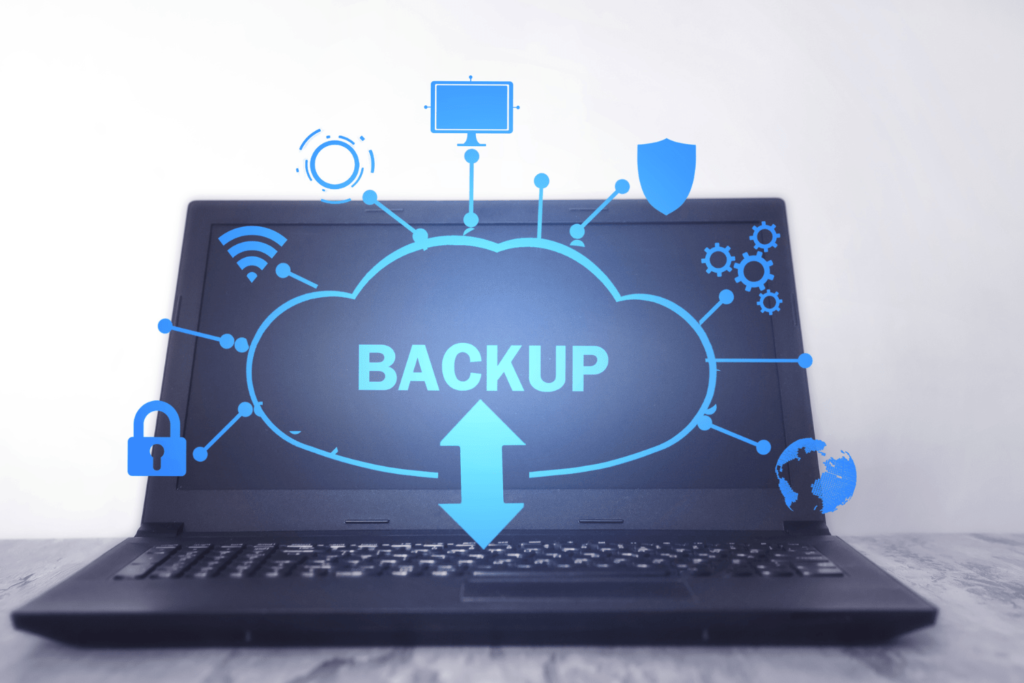
- The first and most crucial step in the upgrade process is migrating your data from your old laptop to the new one. You can do this through various methods, such as using an external hard drive, cloud storage, or a specialized data migration tool. Make sure to back up your essential files and documents.
- Software Transfer
- Once your data is safely transferred, it’s time to think about the software you use regularly. Reinstalling applications can be time-consuming, but it’s also an opportunity to declutter and install only what you need. Start with your essential software and work your way up.
- Operating System Setup
- If your new laptop has a different operating system than your old one, you’ll need to become familiar with the new environment. Customize your settings, install updates, and get comfortable with the user interface.
- Peripheral and Accessories Compatibility
- Ensure that your peripherals and accessories (printers, external hard drives, monitors, etc.) are compatible with your new laptop. You may need to install updated drivers or make adjustments to ensure they work seamlessly.
- Data Verification
- After the migration and setup, it’s essential to verify that all your data is intact and that your software is working correctly. Test your applications, documents, and other files to ensure nothing was left behind or corrupted during the transfer.
- Create a Backup
- Once everything is in order on your new laptop, it’s an excellent time to create a backup. Regular backups will ensure that your data is safe in case of unexpected issues or failures.
The laptop upgrade process may seem daunting, but with the right approach, it can be a seamless and stress-free transition. By following the steps in this section, you’ll ensure that your data, software, and settings make the leap to your new laptop without a hitch. In the next section, we’ll discuss “Longevity and Optimal Performance: Post-Upgrade Maintenance,” guiding you on how to maintain and care for your upgraded laptop to enjoy lasting performance.
6. Laptop Maintenance:
Congratulations on your successful laptop upgrade! Your new laptop is now a high-performing, capable companion ready to tackle your digital demands. But the journey doesn’t end with the upgrade; maintaining your laptop’s optimal performance is key to its longevity. In this section, dedicated to “Laptop Maintenance,” we will share post-upgrade tips and maintenance practices to ensure that your laptop continues to run smoothly for years to come.
- Keep it Clean
- Dust and debris can accumulate inside your laptop, leading to overheating and reduced performance. Regularly clean the keyboard, screen, and vents. You can use compressed air to blow out dust from hard-to-reach areas.
- Software Update
- Staying up to date with software updates is essential for security and performance. Keep your operating system, drivers, and software applications regularly updated to benefit from bug fixes, security patches, and performance improvements.
- Anti-Virus and Security Software
- Ensure that your laptop is protected by reputable antivirus and security software. Regularly run scans to detect and eliminate potential threats, keeping your data safe.
- Hard Drive Maintenance
- If your laptop has a traditional hard disk drive (HDD), consider defragmenting it to optimize performance. Solid State Drives (SSDs) do not require defragmentation. Additionally, keep an eye on your available storage space and clean up unnecessary files and programs.
- Optimize Startup Program
- Review the list of programs that launch at startup. Disable unnecessary applications to improve boot times and reduce system resource usage.
- Backup Your Data
- Regular backups are crucial. Set up automated backups to ensure that your data is safe in case of hardware failures or data loss.
- Keep it Cool
- Overheating can lead to performance issues and damage your laptop. Use a cooling pad if necessary and ensure that the laptop’s ventilation is unobstructed.
- Avoid Overcharging
- If your laptop has a lithium-ion battery, avoid overcharging it. Modern laptops are designed to stop charging once the battery is full. However, if you’re using an older laptop, unplug it once the battery is fully charged.
- Protect Against Physical Damage
- Use a laptop bag or case to protect your laptop when you’re on the move. Be cautious about liquids and avoid placing heavy objects on the laptop.
- Seek professional Help When Necessary
- If you encounter persistent performance issues or hardware problems, don’t hesitate to seek professional help. Attempting to fix complex issues on your own may lead to further problems.
Laptop maintenance is the secret to keeping your laptop in top shape for years to come. By incorporating these maintenance practices into your routine, you’ll ensure that your upgraded laptop continues to perform at its best, meeting your digital needs with efficiency and reliability. In the final section, we’ll wrap up our discussion, providing
7. Laptop Upgrade Guide:
As we reach the end of this comprehensive guide to laptop upgrades, it’s time to reflect on the significance of this transformative journey. Laptop upgrades are not just about replacing old hardware; they are about revitalizing your digital world, enhancing performance, and ensuring your laptop aligns perfectly with your needs. In this final section, we’ll summarize the importance of laptop upgrades and their positive impact on your computing experience.
The Importance of Laptop Upgrades
Laptop upgrades are more than just technical procedures; they are opportunities to breathe new life into your digital world. By recognizing the signs indicating the ideal time for an upgrade, understanding the numerous benefits, planning for a successful transition, selecting the perfect laptop, and following seamless upgrade processes, you are taking essential steps to guarantee that your laptop remains a powerful and dependable tool.
Your journey to an upgraded computing experience starts here, and we’re here to guide you every step of the way. Laptop upgrades are not just about the technical process; they represent opportunities to embrace the digital age with efficiency and reliability.
Thank you for choosing this “Laptop Upgrade Guide.” We hope it empowers you to confidently navigate the digital landscape with a rejuvenated and upgraded laptop, your trusty companion for years to come. As you embark on your upgrade journey, remember that it’s not just about the destination; it’s about the entire experience. We wish you the best of luck and success with your upgraded laptop.
Conclusion:
The significance of upgrading your laptop cannot be overstated in our rapidly evolving digital age. Your laptop is not merely a device; it is your gateway to the world of information, communication, and productivity. As we’ve explored throughout this discussion, knowing when and how to upgrade your laptop is key to harnessing its full potential. Laptop upgrades can breathe new life into your computing experience, boosting performance, extending the lifespan, and enabling you to tackle even the most demanding tasks with ease. Equally important, they ensure you stay up-to-date with the latest software and hardware advancements, safeguarding your digital security and keeping you in sync with the ever-changing landscape of technology.
By following the guidelines and considerations outlined in this discussion, you’ll be better equipped to make informed decisions about when to upgrade your laptop and how to go about it. Remember, it’s not just about having the most cutting-edge hardware; it’s about aligning your laptop’s capabilities with your needs and aspirations.
In the end, upgrading your laptop is an investment in your digital well-being and productivity. It empowers you to take on new challenges, explore new horizons, and stay ahead of the curve in our fast-paced, interconnected world. So, don’t hesitate to embark on your laptop upgrade journey and unlock the limitless potential that lies within the palm of your hand. Your digital future awaits, and with the right laptop upgrades, you can embark on this journey with confidence and enthusiasm.
HERE’S A COMPREHENSIVE VIDEO TO HELP YOU THROUGH
