

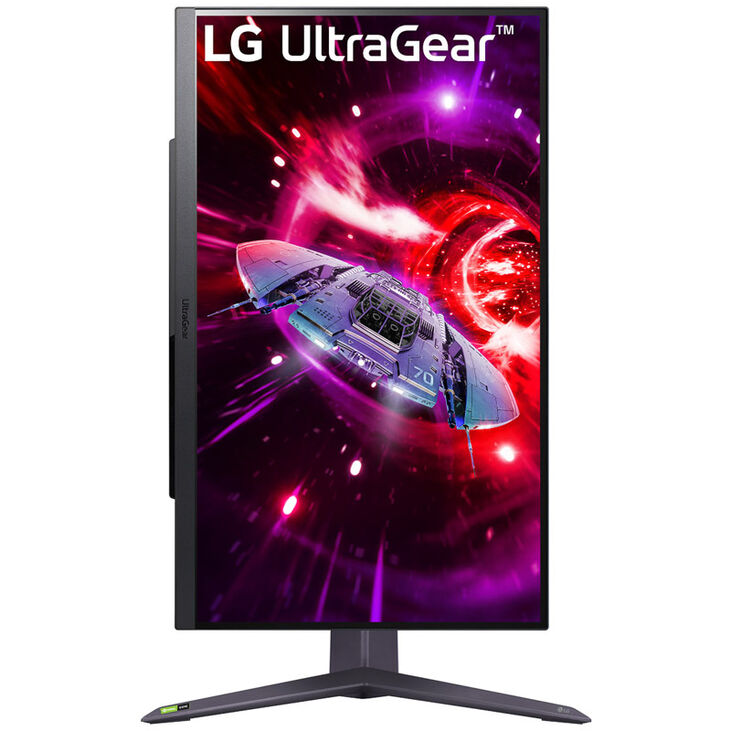
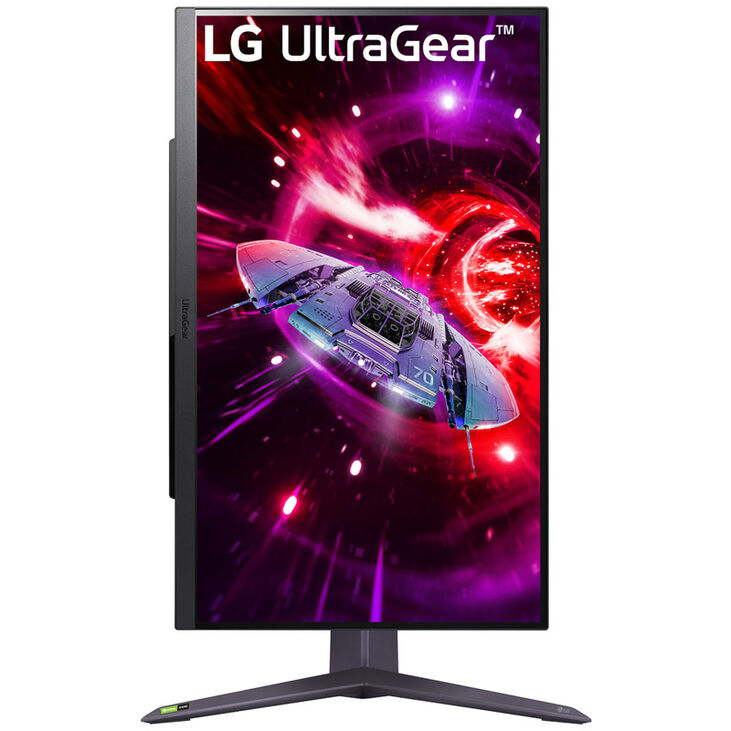
LG 27GR75Q-B 27-inch UltraGear™ QHD 1ms 165Hz Monitor with NVIDIA® G-SYNC® Compatible
LG 27GR75Q-B 27-inch UltraGear™ QHD 1ms 165Hz Monitor with NVIDIA® G-SYNC® Compatible
The LG 27GR75Q-B UltraGear is a 27-inch QHD gaming monitor featuring an IPS panel with 2560×1440 resolution, 165Hz refresh rate, and 1ms (GtG) response time. With sRGB 99% color accuracy, HDR10 support, both NVIDIA G-SYNC Compatible and AMD FreeSync Premium adaptive sync, plus comprehensive gaming features (Black Stabilizer, Dynamic Action Sync, crosshair, FPS counter, Motion Blur Reduction), it delivers competitive performance and stunning visuals for serious gamers.
Key Specifications:
- Display: 27-inch IPS panel, 2560×1440 (QHD), 16:9 aspect ratio
- Refresh rate: 165Hz
- Response time: 1ms (GtG)
- Adaptive sync: NVIDIA G-SYNC Compatible + AMD FreeSync Premium
- Color: sRGB 99% (typical)
- HDR: HDR10
- Viewing angles: 178°/178° (H/V, typical for IPS)
Gaming Features:
- Black Stabilizer (shadow detail enhancement)
- Dynamic Action Sync (reduced input lag)
- Crosshair overlay
- FPS counter
- Motion Blur Reduction
Ergonomics:
- Height adjustment (range TBD)
- Tilt adjustment
- Pivot (portrait mode)
- 3-sided virtually borderless design
- VESA mount compatible (likely 100x100mm)
Connectivity (typical for LG UltraGear):
- DisplayPort (likely 1.4)
- HDMI (likely 2.0 or 2.1)
- USB hub (typical)
- Headphone jack
Power:
- Consumption: TBD (typically 30-50W for this class)
Dimensions & Weight:
- Dimensions: TBD (verify with retailer)
- Weight: TBD (verify with retailer)
Warranty: Verify with retailer
Ideal for competitive gaming, content creation requiring color accuracy, and users seeking a balance of speed (165Hz/1ms) and image quality (IPS panel) in a QHD resolution.
₦550,005.00
LG 27GR75Q-B 27-inch UltraGear™ QHD 1ms 165Hz Monitor with NVIDIA® G-SYNC® Compatible
The LG 27GR75Q-B UltraGear gaming monitor combines the visual excellence of an IPS panel with the competitive performance demanded by serious gamers. Featuring 2560×1440 QHD resolution, 165Hz refresh rate, 1ms response time, and dual adaptive sync compatibility (G-SYNC + FreeSync Premium), it delivers sharp, smooth, color-accurate gameplay without compromise.
QHD Resolution: The Sweet Spot for Gaming
At 2560×1440 on a 27-inch panel, the 27GR75Q-B delivers 109 PPI (pixels per inch) — 77% more pixels than 1080p FHD with sharper text, finer details, and better clarity without the GPU demands of 4K. QHD strikes the perfect balance between visual fidelity and high frame rates, enabling competitive gameplay at 165Hz on mid-to-high-end GPUs.
IPS Panel: Superior Color and Viewing Angles
Unlike VA panels with limited viewing angles or TN panels with poor color reproduction, the IPS (In-Plane Switching) panel delivers consistent, accurate colors from virtually any viewing angle (178°/178°). With sRGB 99% color gamut coverage, the monitor reproduces colors with exceptional accuracy, making it ideal not just for gaming but also for content creation, photo editing, and media consumption. HDR10 support enhances dynamic range in supported games and movies, revealing deeper shadows and brighter highlights.
165Hz + 1ms: Speed Meets Clarity
At 165Hz, the monitor refreshes 165 times per second — 2.75x faster than standard 60Hz displays. Combined with 1ms (GtG) response time, it eliminates motion blur, ghosting, and stuttering, ensuring every frame is rendered with pixel-perfect clarity. Fast-moving objects remain sharp, camera pans flow smoothly, and your reflexes translate instantly to on-screen action.
Dual Adaptive Sync: Universal Compatibility
Supporting both NVIDIA G-SYNC Compatible and AMD FreeSync Premium, the 27GR75Q-B synchronizes refresh rates with your GPU (AMD or NVIDIA) to eliminate screen tearing, stuttering, and input lag. FreeSync Premium includes Low Framerate Compensation (LFC), maintaining smooth motion even when frame rates dip below the monitor’s minimum refresh range. Whether you’re team red or green, you get tear-free gaming.
Motion Blur Reduction: Crystal-Clear Motion
Motion Blur Reduction (likely branded as “1ms Motion Blur Reduction” or MBR by LG) uses backlight strobing to further reduce motion blur during fast action. This feature is particularly effective in competitive shooters where tracking moving targets with absolute clarity provides a competitive advantage.
Gaming Intelligence Suite
- Black Stabilizer: Brightens dark areas without overexposing bright zones, revealing enemies hiding in shadows
- Dynamic Action Sync: Minimizes input lag for instantaneous response between controller input and on-screen action
- Crosshair Overlay: Customizable center-screen crosshairs for enhanced aiming precision in games without built-in crosshairs
- FPS Counter: Real-time frame rate display to monitor performance
- Game Mode Presets: Optimized settings for different genres (FPS, RTS, etc.)
Full Ergonomic Adjustability
Height-adjustable stand with tilt and pivot (portrait mode) support enables precise positioning for optimal viewing angles. Whether you’re leaning back for immersive single-player games or sitting upright for competitive play, the monitor adapts to your posture. Pivot mode is perfect for coding, document review, or vertical content consumption. VESA mounting (likely 100x100mm) supports aftermarket arms or wall mounts.
3-Sided Virtually Borderless Design
Ultra-thin bezels on three sides (top, left, right) maximize screen real estate and create a nearly seamless multi-monitor experience. Line up two or three displays for expansive gaming or productivity setups with minimal visual interruption.
Eye Comfort Features
While specific features aren’t detailed, LG UltraGear monitors typically include Flicker Safe technology and Reader Mode to reduce eye strain during extended gaming sessions.
A versatile QHD gaming monitor that balances competitive performance with IPS color accuracy, making it ideal for gamers who refuse to compromise between speed and image quality.
—
Technical Specifications
Display
- Screen Size: 27 inches (diagonal)
- Panel Type: IPS (In-Plane Switching)
- Native Resolution: 2560 x 1440 (QHD)
- Aspect Ratio: 16:9
- Refresh Rate: 165Hz
- Response Time: 1ms (GtG)
- Pixel Pitch: ~0.2331mm (calculated)
- PPI (Pixels Per Inch): ~109 PPI
- Surface Treatment: Anti-glare (typical for gaming monitors)
Color & Image Quality
- Color Gamut: sRGB 99% (typical)
- Color Depth: Likely 8-bit + FRC (10-bit emulated, typical for this class)
- Brightness: TBD (typically 300-400 cd/m² for LG UltraGear)
- Contrast Ratio: Typically 1000:1 (native IPS)
- HDR: HDR10
- Viewing Angles: 178° horizontal / 178° vertical (typical IPS)
Adaptive Sync & Gaming Features
- NVIDIA G-SYNC Compatible: Yes
- AMD FreeSync Premium: Yes (includes LFC – Low Framerate Compensation)
- VRR (Variable Refresh Rate): Yes (via G-SYNC/FreeSync)
- Black Stabilizer: Yes
- Dynamic Action Sync: Yes (reduced input lag)
- Crosshair Overlay: Yes
- FPS Counter: Yes
- Motion Blur Reduction: Yes
- Game Mode Presets: Likely multiple (FPS, RTS, etc.)
Connectivity
(Typical for LG 27″ UltraGear – verify with manufacturer)
- DisplayPort: 1 port (likely DisplayPort 1.4)
- HDMI: 2 ports (likely HDMI 2.0)
- USB Hub: Likely 2-3 USB ports (verify model)
- Headphone Jack: 1 port (3.5mm, typical)
Ergonomics
- Height Adjustment: Yes (range TBD, typically 100-110mm for LG)
- Tilt: Yes (typical range -5° to +15° or -5° to +20°)
- Swivel: Likely yes (typical ±30° for LG UltraGear)
- Pivot: Yes (90° for portrait mode)
- VESA Mount: Likely 100 x 100mm (verify)
Design
- Bezel Design: 3-sided virtually borderless
- Stand Type: Height/tilt/pivot adjustable
- Color: Likely black with red accents (typical LG UltraGear aesthetic)
Power
- Power Consumption (Typical): TBD (typically 30-50W for this class)
- Power Consumption (Max): TBD
- Power Supply: External adapter or internal (verify)
- Energy Efficiency: Likely Energy Star certified
Dimensions & Weight
(Typical ranges for 27″ IPS gaming monitors – verify with manufacturer)
- With Stand (W x H x D): ~612 x 460-570 x 220mm (varies by height adjustment)
- Without Stand (W x H x D): ~612 x 363 x 50mm (approximate)
- Weight (With Stand): ~5-7kg (11-15 lbs, typical)
- Weight (Without Stand): ~4-5kg (9-11 lbs, typical)
Eye Comfort
- Flicker Safe: Likely yes (typical LG feature)
- Reader Mode: Likely yes (typical LG feature)
- Low Blue Light: Likely yes (verify)
Software & Control
- OnScreen Control (OSC): Likely yes (LG software for monitor management)
- OSD Controls: Hardware buttons on monitor
Certifications
- G-SYNC Compatible Certification: Yes (NVIDIA validated)
- AMD FreeSync Premium Certification: Yes
- Energy Certifications: Likely Energy Star (verify)
Warranty
- Warranty Period: Verify with retailer (typically 1-3 years for LG monitors)
—
Important Notes:
- Full 165Hz Requires DisplayPort: HDMI 2.0 typically limited to 144Hz at QHD; use DisplayPort 1.4 for full 165Hz
- GPU Requirements: For 165Hz at QHD, recommended GPUs include RTX 3060 Ti/4060 or RX 6700 XT/7700 XT or better
- G-SYNC Compatible vs Native G-SYNC: This is G-SYNC Compatible (validated FreeSync), not native G-SYNC with hardware module; performs identically to FreeSync on AMD GPUs
- Motion Blur Reduction Limitation: MBR typically disables adaptive sync (G-SYNC/FreeSync) when active; use one or the other
- IPS Glow: IPS panels may exhibit slight “IPS glow” in dark scenes when viewed at angles; normal for technology
- HDR Performance: HDR10 on non-DisplayHDR certified monitors (no HDR400/600 rating specified) may have limited peak brightness and no local dimming; modest HDR performance expected
- Specifications Incomplete: Some specs marked as “TBD” or “typical” should be verified with official LG documentation or retailer before purchase
Ideal Use Cases:
- Competitive gaming (FPS, MOBA, battle royale)
- Content creation requiring color accuracy (photo editing, graphic design)
- Multi-purpose use (gaming + productivity)
- Users wanting IPS color quality without sacrificing gaming performance
- Single-player story-driven games with beautiful visuals
Comparison to Other Panel Types:
- vs TN Panels: Better colors and viewing angles, similar speed
- vs VA Panels: Better viewing angles and color accuracy; VA has higher contrast but slower response times
- vs OLED: OLED has better contrast (infinite blacks) but higher cost and burn-in risk
Based on 0 reviews
Be the first to review “LG 27GR75Q-B 27-inch UltraGear™ QHD 1ms 165Hz Monitor with NVIDIA® G-SYNC® Compatible”
Related products
-
All in one, DESKTOPS, SERVERS & MONITORS
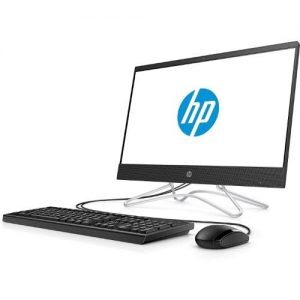
HP ALL IN ONE 20 3JU96EA CELERON , 19.5″ FHD, 4 GB DDR4 RAM, 500GB HDD, WINDOWS 10
 All in one, DESKTOPS, SERVERS & MONITORS
HP ALL IN ONE 20 3JU96EA CELERON , 19.5″ FHD, 4 GB DDR4 RAM, 500GB HDD, WINDOWS 10
- 1.6GHz Intel CeleronJ3060 (1.6 GHz base frequency, up to 2.48 GHz burst frequency, 2 MB cache, 2 cores) processor
- 4GB DDR4 RAM
- 1TB 7200rpm hard drive
- 19.45-inch screen, HD Graphics Integrated Graphics
- DOS operating system
HP ALL IN ONE 20 3JU96EA INTEL® CELERON®(2 GHZ BASE FREQUENCY, UP TO 2.7 GHZ BURST FREQUENCY), 19.5″ DIAGONAL FHD IPS ANTIGLARE WLEDBACKLIT DISPLAY, 4 GB DDR4 RAM, 500GB HDD, BLUETOOTH, DVDWRITER, USB WIRED WINDOWS 8 KEYBOARD, USB WHITE WIRED KEYBOARD, USB WIRED OPTICAL MOUSE, HP WEBCAM WITH DUAL ARRAY DIGITAL MICROPHONE, WINDOWS 10
SKU: n/a -
All in one, DESKTOPS, SERVERS & MONITORS
HP PROONE 440 G5 6AE52AV ALL-IN-ONE DESKTOP PC, INTEL CORE I7-9TH GEN (2.0GHZ) 2TB HDD 8GB RAM; 23.8″ FHD TOUCHSCREEN DISPLAY
 All in one, DESKTOPS, SERVERS & MONITORS
HP PROONE 440 G5 6AE52AV ALL-IN-ONE DESKTOP PC, INTEL CORE I7-9TH GEN (2.0GHZ) 2TB HDD 8GB RAM; 23.8″ FHD TOUCHSCREEN DISPLAY
HP ProOne 440 G5 6AE52AV ALL-IN-ONE DESKTOP PC, INTEL CORE I7-9TH GEN (2.0GHZ) 2TB HDD 8GB RAM; 23.8″ FHD TOUCHSCREEN DISPLAY; DVD; CAMERA; USB KEYBOARD AND MOUSE
SKU: n/a -
All in one, DESKTOPS, SERVERS & MONITORS
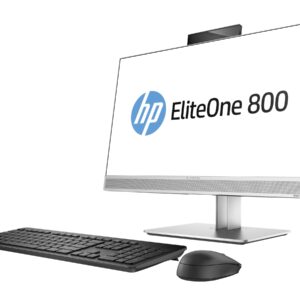
HP ELITEONE 800 G5 5NW36AV AIO DESKTOP PC CORE I7, 2TB HDD, 8GB RAM, 23.8″” FHD TOUCH SCREEN DISPLAY DVD-WRITER ND MOUSE WINDOWS 10 PRO 64
 All in one, DESKTOPS, SERVERS & MONITORS
HP ELITEONE 800 G5 5NW36AV AIO DESKTOP PC CORE I7, 2TB HDD, 8GB RAM, 23.8″” FHD TOUCH SCREEN DISPLAY DVD-WRITER ND MOUSE WINDOWS 10 PRO 64
HP ELITEONE 800 G5 AIO DESKTOP PC CORE I7-9TH GEN (3.0GHZ) 2TB HDD, 8GB RAM, 23.8″” FHD TOUCH SCREEN DISPLAY DVD-WRITER IR & DUAL FACING CAMERA WI-FI BLUETOOTH WIRELESS KEYBOARD AND MOUSE WINDOWS 10 PRO 64
SKU: n/a
There are no reviews yet.