

-
×
 FitBit Ace 3 Fitness Wristband Kids-Black/Yellow FB419BKYW
1 × ₦61,525.01
FitBit Ace 3 Fitness Wristband Kids-Black/Yellow FB419BKYW
1 × ₦61,525.01
Subtotal: ₦61,525.01

In an age where artistry knows no bounds, the creative possibilities are limitless, extending from graphic design and digital illustration to music production and video editing. The digital canvas has become a playground for artists and creative professionals, allowing them to craft their visions like never before. But amidst this sea of opportunities, there’s an underlying truth that every artist and creative soul must acknowledge: the right tools are essential to unlock your artistic potential. Imagine an artist without brushes, a musician without their instrument, or a writer without their pen and paper. While these may be traditional tools, the modern creative professional’s toolkit is no less vital. Your choice of laptop, in many ways, is the modern-day equivalent of these age-old tools. It’s not just a device; it’s a conduit for your creativity, a gateway to your artistic expression. As an artist or creative professional, your choice of laptop can make or break your creative process.
You’re in the midst of an intense design project, a musical composition, or video editing for a client with a tight deadline. You’re pushing the limits of your creative software, manipulating high-resolution images, or editing 4K videos, and then it happens – your laptop slows down, stutters, or even worse, crashes. The frustration mounts, your creative flow is disrupted, and your masterpiece remains unfinished. This is the stark reality for many who overlook the importance of choosing the right laptop.
The world has witnessed a monumental shift in the way we create and consume art. Artists, designers, photographers, and musicians now have the power to reach global audiences with their work, thanks to the digital age. This transformation, however, has placed new demands on the hardware we use. The days of relying solely on traditional mediums are giving way to the digital realm, where technology plays a pivotal role in shaping the final product. Whether you’re a budding artist seeking to enhance your skills or a professional looking to streamline your workflow, your choice of laptop is paramount. The creative process involves multitasking, demanding software applications, and high-resolution work, all of which require a laptop that can keep up. This context sets the stage for our discussion on how to select the perfect laptop to fuel your creative journey.
This blog post explores the critical factors you should consider when choosing a laptop to unlock your artistic potential. We’ll delve into the hardware specifications, software compatibility, and the ergonomics that cater to the unique needs of artists, designers, musicians, and other creative professionals. By the end of this guide, you’ll be equipped with the knowledge needed to make an informed decision, ensuring that your chosen laptop becomes your trusted companion on the road to creative success. So, let’s dive in and discover how the right laptop can be the key to unlocking your full artistic potential.
Before you embark on your quest for the perfect creative laptop, it’s imperative to take a moment for self-reflection and a deep understanding of your specific creative needs. Are you primarily a graphic designer, a musician, a video editor, or perhaps a combination of these roles? Each creative field brings its own set of challenges and prerequisites, and recognizing your niche is the foundation upon which you’ll build your laptop selection journey.
As a graphic designer, your canvas is the digital world. Your laptop should be your blank slate, equipped with high-resolution displays and color-accurate screens. You’ll need a laptop that can smoothly run Adobe Creative Suite and similar design software, offering the power to bring your visions to life. A laptop with a dedicated GPU, capable of rendering complex graphics and accurate color reproduction, is your creative ally.
For musicians, the harmony of your laptop is in its ability to handle music production software and vast libraries of audio samples. The CPU’s processing power and RAM play a crucial role in real-time audio processing, mixing, and mastering. Look for a laptop optimized for sound production with a focus on low-latency performance, while also ensuring it can accommodate the software and instruments you rely on.
Video editing demands immense computational power. 4K video rendering and post-production work can be demanding tasks, and a high-quality GPU, ample RAM, and a fast processor are non-negotiable. To excel in video editing, you’ll need a laptop that can handle the load, ensuring smooth playback and efficient editing of your cinematic projects.
By recognizing your niche and the specific demands it brings, you pave the way for a more tailored and effective laptop selection process. Your creative journey begins with understanding your artistic identity, allowing you to match your laptop not just to your needs but also to your aspirations. It’s not merely a laptop; it’s your trusted companion on the path to unlocking your fullest creative potential.
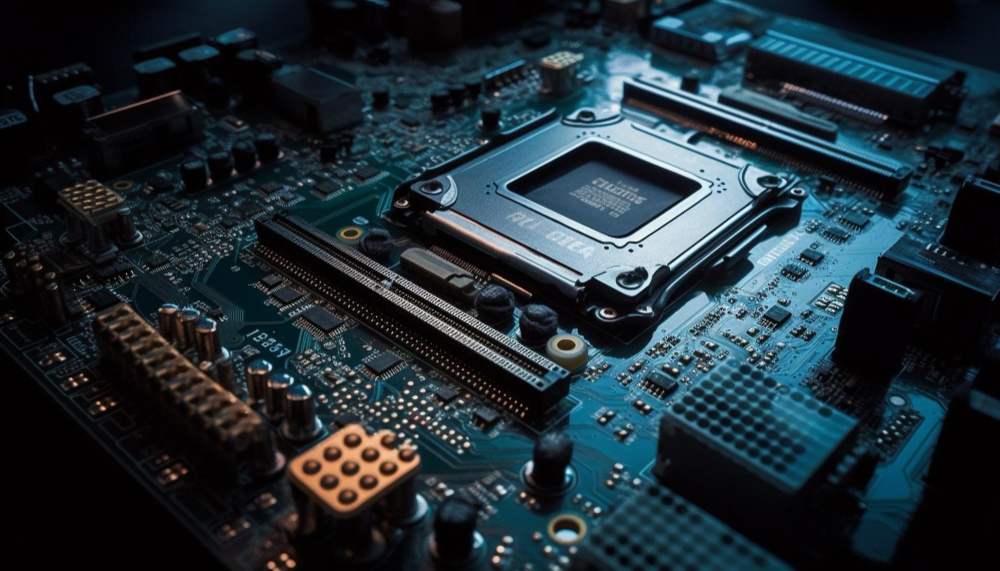
Selecting a laptop with adequate processing power, RAM, and a high-quality Graphics Processing Unit (GPU) is crucial when you plan to run resource-intensive tasks and applications. Here’s a discussion of the importance of each of these hardware specifications:
The Central Processing Unit (CPU) is the brain of your laptop. Its processing power determines how quickly your laptop can execute tasks. For resource-intensive applications like video editing, 3D modeling, or scientific simulations, a powerful CPU is essential to ensure smooth and fast performance.
Many modern CPUs come with multiple cores, allowing them to handle multitasking and parallel processing efficiently. When running tasks that benefit from multi-threading, a CPU with more cores can significantly speed up your work.
Higher clock speeds are essential for tasks that require real-time calculations, like gaming. A high clock speed ensures the CPU can process instructions quickly.
RAM is the temporary workspace for your laptop, and its size determines how many applications and data sets can be held in memory simultaneously. For resource-intensive tasks, a larger amount of RAM is crucial to prevent the system from slowing down or freezing.
Faster RAM (e.g., DDR4 or DDR5) can provide quicker data access, which is important for tasks like video editing or 3D rendering where large files need to be processed.
The GPU is responsible for rendering graphics and accelerating tasks that require heavy graphical computations, such as gaming, video editing, 3D rendering, and machine learning. A high-quality GPU ensures smooth performance and faster rendering of complex visuals.
Laptops often come with either integrated (built into the CPU) or dedicated (standalone) GPUs. For resource-intensive tasks, a dedicated GPU is generally preferred because it offers more power and memory for graphics processing.
If you plan to use your laptop for virtual reality (VR) applications or AI-related tasks, a powerful GPU is essential as these applications demand a significant amount of graphical processing power.
When selecting a laptop for resource-intensive tasks, it’s crucial to strike a balance between these components. Consider the specific requirements of the applications you intend to run and choose a laptop with hardware that meets or exceeds those requirements. Additionally, be aware that laptops with high-end CPUs, ample RAM, and powerful GPUs tend to be bulkier and may have reduced battery life, so consider your portability needs as well. Upgrading components like RAM or GPU in a laptop is often not possible, so it’s wise to invest in a machine that will meet your needs for the foreseeable future.
A high-resolution display with accurate color representation is absolutely crucial for artists and designers. Here’s why it’s of paramount importance:
High resolution ensures that every detail of an image is displayed, allowing artists and designers to work with pixel-level precision. This is particularly important for tasks like photo editing, digital painting, and graphic design, where fine details matter.
Accurate color representation is vital for maintaining the integrity of an artwork. It ensures that the colors on the screen match the colors in the final print or on other devices. Without color accuracy, artists and designers risk creating work that doesn’t meet their intended vision.
A display with precise color representation helps maintain consistency across different devices. It ensures that the colors you choose on your screen will appear the same way on various platforms and media, reducing the risk of unexpected variations in the final output.
A high-resolution display allows artists and designers to work more efficiently. They can see more of their work at once, reducing the need for constant zooming in and out. This not only speeds up the creative process but also minimizes eye strain.
High-resolution and accurate color representation are often expected in professional design work. To meet industry standards and client expectations, artists and designers must have the tools necessary for top-tier results.
Professionals can’t afford to make mistakes in their work due to display limitations. A high-quality display helps artists and designers spot and correct errors, ensuring that their final products meet the highest standards.
In conclusion, a high-resolution display with accurate color representation is not just a luxury but a necessity for artists and designers. It empowers them to create visually stunning and precisely crafted work, ensuring their creative vision is fully realized and their professional standards are met.
Storage solutions, including Solid State Drives (SSDs) and Hard Disk Drives (HDDs), play a critical role in improving file access speed and capacity for large media files used in creative projects. Here’s an explanation of their roles:
SSDs are known for their blazing-fast read and write speeds. This is particularly advantageous for creative professionals who work with large media files, such as high-resolution images, 4K videos, or 3D models. Quick access to these files significantly enhances workflow efficiency.
SSDs significantly reduce the time it takes for your laptop to boot up and for software applications to launch. This means you can get to work faster, which is crucial for productivity.
SSDs have no moving parts, which makes them more robust and reliable than HDDs. This is especially important for people who are constantly on the move, as it reduces the risk of data loss due to physical shock.
SSDs operate silently, which is a plus for creative professionals who need a quiet working environment without the noise generated by spinning HDDs.
HDDs typically offer larger storage capacities compared to SSDs at a more affordable price per gigabyte. This is valuable for creative professionals who need to store extensive media libraries.
HDDs are often used as secondary storage for archival purposes and backups. Creative projects, especially videos and high-resolution images, can take up a lot of space, and HDDs provide a cost-effective way to store these files.
For less frequently accessed files or long-term storage, HDDs offer a cost-effective solution. Many professionals use a combination of SSDs for active projects and HDDs for long-tm storage.
In some laptops, HDDs can be upgraded to SSDs if the laptop allows for such modifications, providing flexibility for users to choose the best storage option based on their needs.
For creative professionals, a combination of both SSD and HDD can be an ideal solution. Use an SSD for the operating system, software applications, and active projects to benefit from fast access speeds, while using an HDD for bulk storage and backups to maximize capacity without breaking the bank. Ultimately, the choice of storage depends on your specific needs and budget. A laptop with a fast SSD as the primary drive and an HDD for additional storage can provide the best of both worlds, ensuring both speed and capacity for your creative projects.
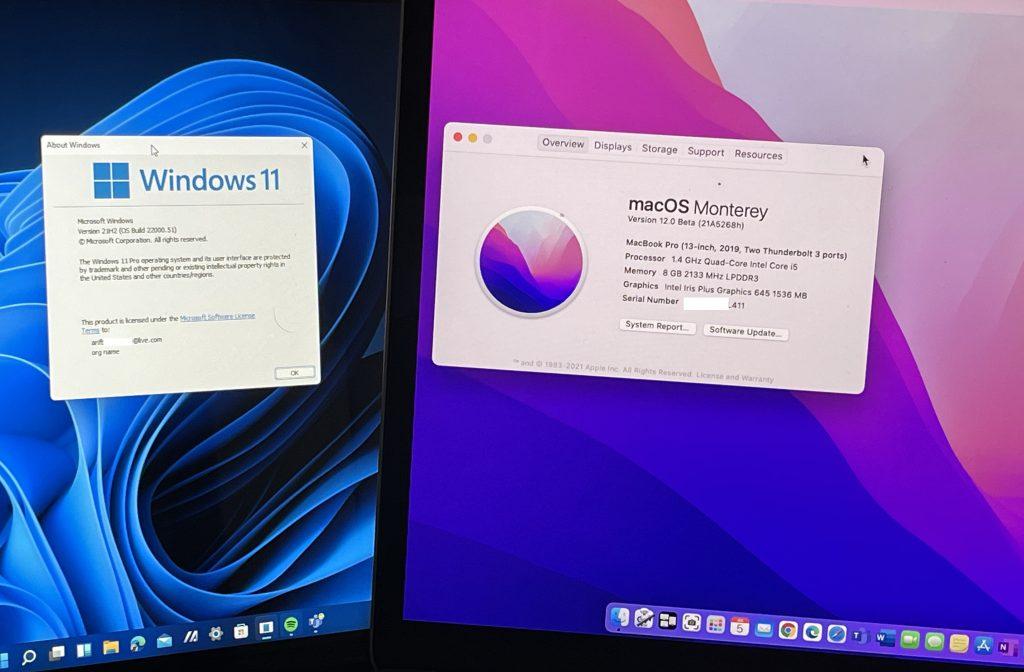
Your choice of operating system plays a crucial role in enhancing or limiting your creative work. In this guide, we’ll explore the advantages and limitations of three prominent operating systems – Windows, macOS, and Linux – within the context of creative tasks.
Advantages and Limitations of Operating Systems for Creative Work:
Advantages
Limitation
Advantages
Limitations
Advantages
Limitations
The choice of operating system for your creative work ultimately depends on your specific needs, preferences, and existing workflow. Windows, macOS, and Linux each have their unique advantages and limitations. Windows excels in software compatibility, macOS in user-friendliness and optimization, and Linux in customization and cost-effectiveness. By understanding how each operating system aligns with your creative goals, you can make an informed decision that empowers your creative endeavors.
When it comes to creative tasks, whether you’re a designer, video editor, musician, or any other professional, connectivity and ports are often the unsung heroes of your setup. The various ports available on your laptop play a pivotal role in seamlessly connecting peripherals and external monitors, enabling you to maximize your creative potential. Let’s dive into the importance of key ports like USB, Thunderbolt, and HDMI in your creative workflow:
USB (Universal Serial Bus) ports are the backbone of connectivity for most devices. Here’s why they’re crucial for creative tasks:
Thunderbolt ports are a creative professional’s dream, offering several advantages:
HDMI (High-Definition Multimedia Interface) is the go-to port for visual excellence in creative work:
Connectivity and ports are the unsung heroes of your creative setup. USB, Thunderbolt, and HDMI ports are essential for connecting peripherals, handling data efficiently, achieving high-resolution visuals, and enhancing productivity. When selecting a laptop for creative work, ensure it has a well-rounded selection of these ports to cater to your specific needs, enabling you to create without limitations and bring your artistic visions to life.

In the world of creative professionals, finding the perfect laptop often involves striking a delicate balance between budget constraints and the demand for a machine that can meet creative needs. This article explores how to make informed financial decisions while ensuring your chosen laptop is up to the task of fueling your creative pursuits.
Before diving into budget considerations, it’s essential to understand your specific creative requirements:
With a clear understanding of your creative needs, it’s time to set a budget. Here’s how to approach it:
Now that you have a budget in mind and a list of essential features, it’s time to research and compare laptops:
As you weigh your options, remember that the ideal laptop for creative work is one that aligns with your needs and budget. It may not necessarily be the most expensive model on the market. Instead, it should provide a balance between affordability and performance.
Investing in the right laptop will enhance your creative productivity and potentially save you time and money in the long run. By following this budget-savvy approach, you can confidently select a laptop that empowers your creativity without breaking the bank.
Choosing the right laptop to unlock your artistic potential is a decision that should not be taken lightly. Your laptop becomes an extension of your creative self, empowering you to bring your artistic visions to life. By understanding your craft, prioritizing performance, and considering essential factors like display quality, portability, and budget, you can embark on your artistic journey with confidence.
Now, with your newfound knowledge, choose the laptop that will be the brush to your digital canvas, the lens to your photography, or the instrument to your musical symphony. Unleash your creative potential and share your art with the world – because your voice deserves to be heard!
TO SHOP FOR YOUR TECHNOLOGICAL NEEDS AND HAVE A SEEMLESS EXPERINCE DOING SO, PLEASE VISIT @amaget.com TO GET MORE INFO ON PRODUCT LISTS.
HERE’S A COMPREHENSIVE VIDEO IN MAKING THE RIGHT CHOICE
