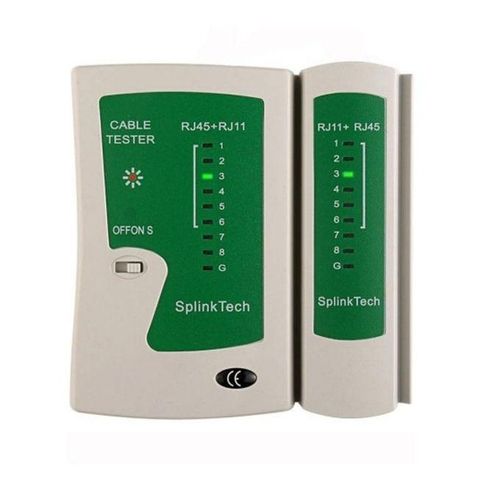
Rj45 AND RJ11 NETWORK CABLE TESTER
The Generic RJ45 and RJ11 Network Cable Tester delivers essential cable testing functionality for network professionals, IT technicians, cable installers, and home users working with Ethernet and telephone cabling, providing quick identification of wiring faults, connection problems, and cable continuity issues that can cause network failures or poor performance.
This compact, portable tester offers reliable diagnostics for both RJ45 network cables and RJ11 telephone cables, making it an indispensable tool for cable installation, troubleshooting, and maintenance work.
Key Features
- Tests RJ45 network cables (Cat5/Cat5e/Cat6)
- Tests RJ11 telephone cables (4-wire/6-wire)
- Detects wiring faults and pin assignments
- Identifies short circuits
- Detects open circuits
- Finds crossover connections
- LED indicators for each wire
- Detachable remote unit
- Dual-speed testing modes
- Compact portable design
- Storage bag included
Cable Testing Capabilities
RJ45 Network Cables:
- Cat5/Cat5e/Cat6 Ethernet cables
- Straight-through cables
- Crossover cables
- Patch cables
- Permanent installation cables
- 8-wire testing (pins 1-8)
- Wiring sequence verification
RJ11 Telephone Cables:
- 4-wire telephone cables
- 6-wire telephone cables
- Phone line cables
- ISDN cables
- Modem cables
- DSL cables
- Pin assignment checking
Main Unit and Remote Unit
Two-Part Design:
- Main tester unit (with controls)
- Detachable remote unit
- Connect cable between units
- Test installed cables
- Test patch cables
- Test cable runs
- Long-distance cable testing
Testing Configuration:
- Both ends accessible: Use main + remote
- Cable run: Place remote at far end
- Patch cable: Connect both ends to main unit
- Wall jack testing: Remote at wall, main at patch panel
LED Indicator System
Visual Testing:
- LED for each wire/pin
- Sequential LED illumination
- Identifies correct wiring
- Shows miswired connections
- Indicates short circuits
- Shows open circuits
- Easy interpretation
LED Patterns:
- Correct wiring: Sequential 1-2-3-4-5-6-7-8
- Miswired: Out-of-sequence LEDs
- Open circuit: Missing LED(s)
- Short circuit: Multiple LEDs together
- Crossover: Different sequence
Fault Detection
Identifies Problems:
- Incorrect pin assignments
- Reversed pairs
- Split pairs
- Short circuits between wires
- Open circuits (broken wires)
- Missing connections
- Crossover vs straight-through
Common Faults Found:
- Improperly crimped connectors
- Damaged cable conductors
- Incorrect wiring standards
- Poor quality connectors
- Installation damage
- Cable manufacturing defects
Dual-Speed Testing
Testing Modes:
- Normal speed (ON): Fast sequential test
- Slow speed (S): Slow visual test
- Off (OFF): Power saving
- Switch selector control
- Choose speed for visibility
Mode Selection:
- Fast mode: Quick pass/fail testing
- Slow mode: Detailed wire tracing
- Visual inspection of each wire
- Training and learning
- Documentation purposes
Testing Process
How to Test:
- Insert 9V battery into main unit
- Connect one cable end to main unit
- Connect other cable end to remote unit
- Switch to ON or S mode
- Observe LED sequence
- Verify correct wiring pattern
- Identify any faults
- Document results if needed
Ideal Applications
Network Installation:
- New cable installations
- Patch cable verification
- Cable run testing
- Wall jack verification
- Patch panel testing
- Pre-termination testing
Network Troubleshooting:
- Connectivity problems
- Intermittent connections
- Slow network speed diagnosis
- Cable fault location
- Maintenance and repair
- Quality assurance
Cable Manufacturing:
- Factory cable testing
- Custom cable verification
- Quality control
- Batch testing
- Product validation
Home/Small Office:
- Home network setup
- Office network installation
- DIY cable projects
- Network expansion
- Troubleshooting issues
User Types
Professional Installers:
- Network installers
- Cable contractors
- IT technicians
- Telecom technicians
- Security system installers
- AV installers
IT Professionals:
- Network administrators
- System administrators
- IT support staff
- Help desk technicians
- Datacenter technicians
DIY Users:
- Home network enthusiasts
- Small business owners
- Hobbyists
- Students
- Tech-savvy homeowners
Benefits
Time Saving:
- Quick cable verification
- Fast fault identification
- Reduces troubleshooting time
- Prevents installation errors
- Validates crimping work
Cost Effective:
- Affordable tool
- Prevents wasted materials
- Reduces service calls
- Avoids cable re-runs
- Extends cable life
Professional Results:
- Verify proper installation
- Document cable testing
- Quality assurance
- Customer confidence
- Professional credibility
Portable Design
Compact and Lightweight:
- 97g total weight
- 10 x 10.5 x 3 cm dimensions
- Fits in tool bag
- Pocket-sized
- Easy to carry
- Field-portable
Storage Bag Included:
- Protective carrying case
- Keeps units together
- Prevents damage
- Organized storage
- Professional presentation
Power Requirements
Battery Operation:
- Single 9V battery (not included)
- Standard 9V block battery
- Widely available
- Long battery life
- Low power consumption
- No external power needed
Battery Life:
- Typical: 100+ tests
- Depends on usage
- Auto-off recommended
- Turn off when not in use
- Battery level indicator (if equipped)
Testing Standards
Wiring Standards Detected:
- T568A wiring
- T568B wiring (most common)
- Crossover cables
- Custom configurations
- Non-standard wiring
Limitations
What This Tester Does NOT Do:
- Cable length measurement
- Certification testing
- Cable speed testing (Cat5 vs Cat6)
- Distance-to-fault measurement
- Advanced diagnostics
- Wire mapping only
For Advanced Testing, Consider:
- Professional cable certifiers
- Network analyzers
- TDR (Time Domain Reflectometry) testers
- Cable qualification testers
What’s Included
- Main tester unit
- Detachable remote unit
- Storage bag
- Instruction manual
9V battery NOT included – must be purchased separately
Dimensions & Weight
Physical Specifications:
- Weight: 97 grams
- Size: 10 x 10.5 x 3 cm
- Compact form factor
- Lightweight design
- Portable construction
Usage Tips
Best Practices:
- Test cables before installation
- Test after termination
- Document test results
- Use slow mode for learning
- Keep battery fresh
- Store in bag when not in use
- Clean connectors before testing
Troubleshooting Tips:
- No LEDs: Check battery
- Incorrect pattern: Check termination
- Intermittent LEDs: Check connections
- Remote unit: Ensure proper connection
Maintenance
Care Instructions:
- Keep clean and dry
- Store in protective bag
- Avoid dropping
- Remove battery for long storage
- Clean RJ45/RJ11 jacks periodically
- Protect from moisture
Value Proposition
Why Choose This Tester:
- Affordable price point
- Tests both RJ45 and RJ11
- Simple operation
- No training required
- Portable and lightweight
- Reliable fault detection
- Includes storage bag
- Essential tool for cable work
Affordable essential cable tester for network and telephone installations – the Generic RJ45 and RJ11 Network Cable Tester delivers reliable wiring verification, fault detection, and continuity testing with LED indicators, detachable remote unit, dual-speed testing modes, and compact 97g design in a protective storage bag, making it the perfect tool for network installers, IT technicians, and DIY enthusiasts working with Ethernet and telephone cabling requiring quick, reliable cable diagnostics!


 PS4 CALL OF DUTY BLACK OPS III
1 × ₦45,047.00
PS4 CALL OF DUTY BLACK OPS III
1 × ₦45,047.00  Apple iPad Pro Smart Keyboard for 10.5-inch
3 × ₦142,500.00
Apple iPad Pro Smart Keyboard for 10.5-inch
3 × ₦142,500.00  LG SPLIT 1.5HP GENCOOL AIR CONDITIONER
2 × ₦645,000.00
LG SPLIT 1.5HP GENCOOL AIR CONDITIONER
2 × ₦645,000.00 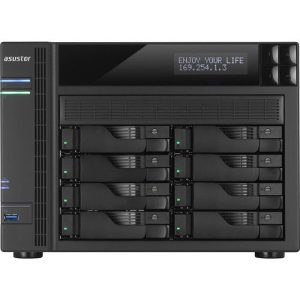 Asustor AS5108T 8-Bay NAS Enclosure
2 × ₦1,180,005.00
Asustor AS5108T 8-Bay NAS Enclosure
2 × ₦1,180,005.00 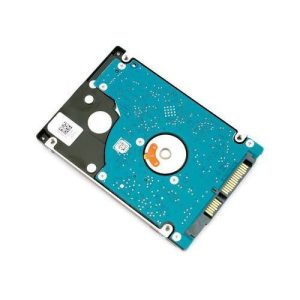 SEAGATE 1tb Laptop Internal HDD - Silver
2 × ₦43,365.00
SEAGATE 1tb Laptop Internal HDD - Silver
2 × ₦43,365.00 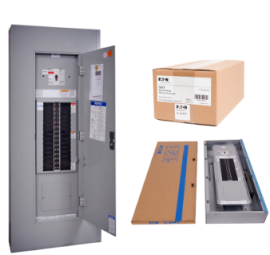 Eaton 8ways 3 phase DB
2 × ₦210,000.00
Eaton 8ways 3 phase DB
2 × ₦210,000.00  LG 32" DIGITAL LED TV -32LK500
3 × ₦277,500.00
LG 32" DIGITAL LED TV -32LK500
3 × ₦277,500.00  HP 14S LAPTOP DQ2213NIA INTEL CORE I7-1195G7, 8GB DDR4, 512GBSSD ,15.6 HD, FULL-SIZE, BACKLIT, NATURAL SILVER KEYBOARD WITH NUMERIC KEYPAD, TOUCHSCREEN, WIN11H, NATURAL SILVER, 1YR WTY 4M9P9EA
1 × ₦1,045,500.00
HP 14S LAPTOP DQ2213NIA INTEL CORE I7-1195G7, 8GB DDR4, 512GBSSD ,15.6 HD, FULL-SIZE, BACKLIT, NATURAL SILVER KEYBOARD WITH NUMERIC KEYPAD, TOUCHSCREEN, WIN11H, NATURAL SILVER, 1YR WTY 4M9P9EA
1 × ₦1,045,500.00  Sandisk Ultra Dual Drive M3.0 32GB OTG
1 × ₦15,000.00
Sandisk Ultra Dual Drive M3.0 32GB OTG
1 × ₦15,000.00  JBL GO 2 BLUETOOTH SPEAKER
1 × ₦64,200.00
JBL GO 2 BLUETOOTH SPEAKER
1 × ₦64,200.00 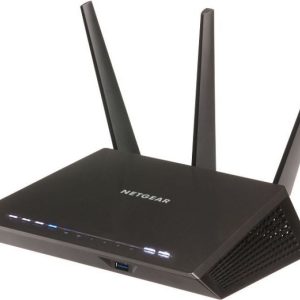 NETGEAR Nighthawk AC1900 Smart WiFi Router - R7000
1 × ₦319,995.00
NETGEAR Nighthawk AC1900 Smart WiFi Router - R7000
1 × ₦319,995.00 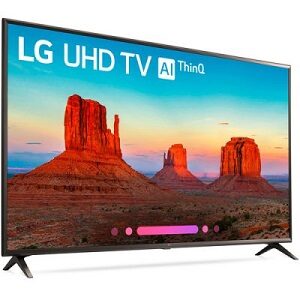 LG 65'' Smart TV UK6100
1 × ₦2,025,000.00
LG 65'' Smart TV UK6100
1 × ₦2,025,000.00 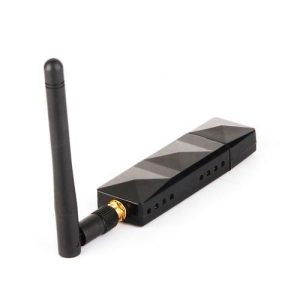 Atheros AR9271 802.11n 150Mbps Wireless USB WiFi Adapter 5dBi For Linux/Windows XP/7/8/10/Roland Piano With 2DB
1 × ₦90,000.00
Atheros AR9271 802.11n 150Mbps Wireless USB WiFi Adapter 5dBi For Linux/Windows XP/7/8/10/Roland Piano With 2DB
1 × ₦90,000.00  Thecus N4510U PRO-R 4-Bay 4TB Rackmount Network Attached NAS Storage w/ 4x 1TB WD Red Hard Drive
1 × ₦1,080,000.00
Thecus N4510U PRO-R 4-Bay 4TB Rackmount Network Attached NAS Storage w/ 4x 1TB WD Red Hard Drive
1 × ₦1,080,000.00 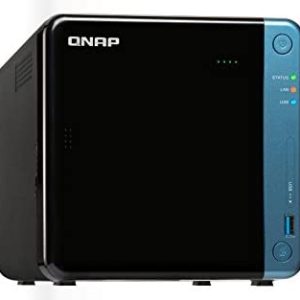 QNAP TS-453Be-2G-US 4-Bay Professional NAS
1 × ₦310,005.00
QNAP TS-453Be-2G-US 4-Bay Professional NAS
1 × ₦310,005.00  THE LAST OF US 1 REMASTERED PS4
1 × ₦35,010.41
THE LAST OF US 1 REMASTERED PS4
1 × ₦35,010.41 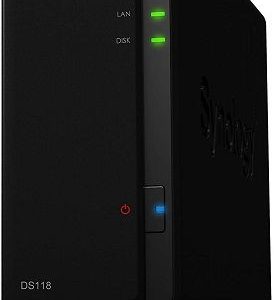 Synology DISKSTATION DS118 1-bay NAS
1 × ₦139,995.00
Synology DISKSTATION DS118 1-bay NAS
1 × ₦139,995.00 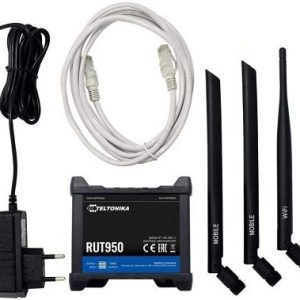 Teltonika RUT950 LTE 4G Router
1 × ₦310,005.00
Teltonika RUT950 LTE 4G Router
1 × ₦310,005.00  UNCHARTED: LOST LEGACY PS4
2 × ₦45,047.00
UNCHARTED: LOST LEGACY PS4
2 × ₦45,047.00  SANDISK MEMORY CARD 128GB
1 × ₦33,000.00
SANDISK MEMORY CARD 128GB
1 × ₦33,000.00  HP LAPTOP 14-EP0002NIA INTEL® CORE™ I3-N305, INTEL® UHD GRAPHICS, 8 GB DDR4-3200, 512 GB PCIE® NVME™ M.2 SSD, 5.6 CM (14") DIAGONAL, FHD, MICRO-EDGE, FULL-SIZE, BACKLIT, NATURAL SILVER, FREEDOS, 1YR WTY 834D8EA
2 × ₦537,000.00
HP LAPTOP 14-EP0002NIA INTEL® CORE™ I3-N305, INTEL® UHD GRAPHICS, 8 GB DDR4-3200, 512 GB PCIE® NVME™ M.2 SSD, 5.6 CM (14") DIAGONAL, FHD, MICRO-EDGE, FULL-SIZE, BACKLIT, NATURAL SILVER, FREEDOS, 1YR WTY 834D8EA
2 × ₦537,000.00 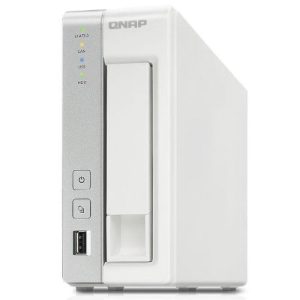 QNAP TS-120 1-Bay 1TB Network Attached NAS Storage w/ 1x 1TB WD RED Hard Drive
1 × ₦160,005.00
QNAP TS-120 1-Bay 1TB Network Attached NAS Storage w/ 1x 1TB WD RED Hard Drive
1 × ₦160,005.00 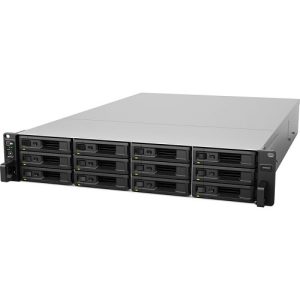 Synology SA3400D 12-Bay Active-Passive NAS Enclosure with Dual Controllers
1 × ₦15,730,005.00
Synology SA3400D 12-Bay Active-Passive NAS Enclosure with Dual Controllers
1 × ₦15,730,005.00 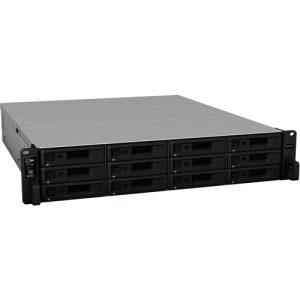 Synology RackStation RS2421RP+ 12-Bay NAS
1 × ₦5,020,005.00
Synology RackStation RS2421RP+ 12-Bay NAS
1 × ₦5,020,005.00  Sandisk 32GB OTG Dual USB Flash Drive 2.0
1 × ₦27,000.00
Sandisk 32GB OTG Dual USB Flash Drive 2.0
1 × ₦27,000.00  DAYSGONE PS4 Game
2 × ₦45,047.00
DAYSGONE PS4 Game
2 × ₦45,047.00  Apple Watch Series 6 44mm GPS
1 × ₦270,000.00
Apple Watch Series 6 44mm GPS
1 × ₦270,000.00 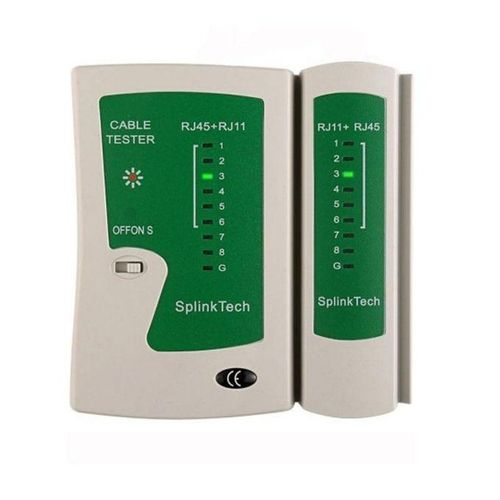
There are no reviews yet.